
MusicMaster Blog
What’s New in CS 3.4 Publicado por Laurie Knapp en julio 23rd, 2026
The latest release of MMCS contains an exclusive new feature for library version management, additional feature adds for the Web Client, and more.
Media Sets are a new MusicMaster feature, exclusive to the CS edition, which allows you to manage and schedule songs where you have multiple different versions and recordings. The Media Set Editor allows you to assemble and combine multiple recordings of a song, designating version type attributes to each instance.
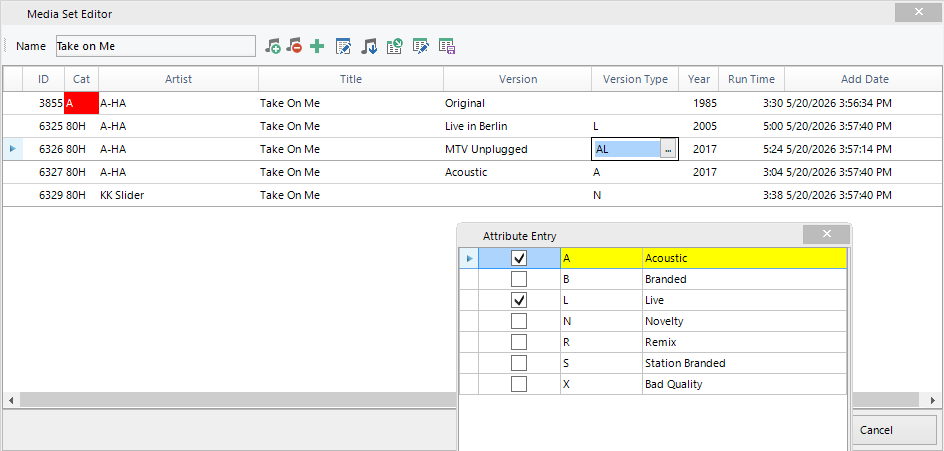
You can pull together song recordings from different categories in a Media Set, allowing you to have one or more in active rotation categories, and others in rest or hold categories that can still be easily scheduled as needed.
In the example above, only the Category A version of Take on Me is in an actual rotating category. By default, it will schedule as it normally would if it was not associated with the Media Set and the other recordings, being in a hold category, will not auto schedule at all.
When this song appears in the Schedule Editor, you can use the new option to Schedule from Media Set Members to place all recordings of this song into the replacement songs panel where you can manually choose to replace the original scheduled instance with another on demand.
You can also set Version Type Preferences on your Shows, Format Clocks and Clock Elements that can influence Media Set version selection and to swap out a song with an alternate version automatically. Again, using the example above, if you have a particular clock or show where you like to play live recordings when possible, you can set that as a preferred version type. Then, if the Automatic Scheduler attempts to schedule Take On Me in that time period, it will recognize that this song is part of a Media Set and if the copy it is trying to schedule does not have the preferred Live attribute, it will see if there is another recording available that does. In this case, there are two that have it. The Scheduler will swap out the original Category A song with the most rested of the available live recordings and attempt to schedule that song in the Category A position instead.
Media Sets have automatic history linking and a new display option in the History Graph so you can always see a combined view of all instances of Take on Me in History, as well as the ability to see where each individual recording played.
This new feature is available in both the Windows and Web clients.
Several new features have also been added to the Web Client in this release, including:
New drag and drop options for the Format Clock Editor. You can now drag many different items from the InfoBar to the Clock Editor to create and replace clock elements. The Elements panel is also available which lists all available clock element types
Virtual Breaks
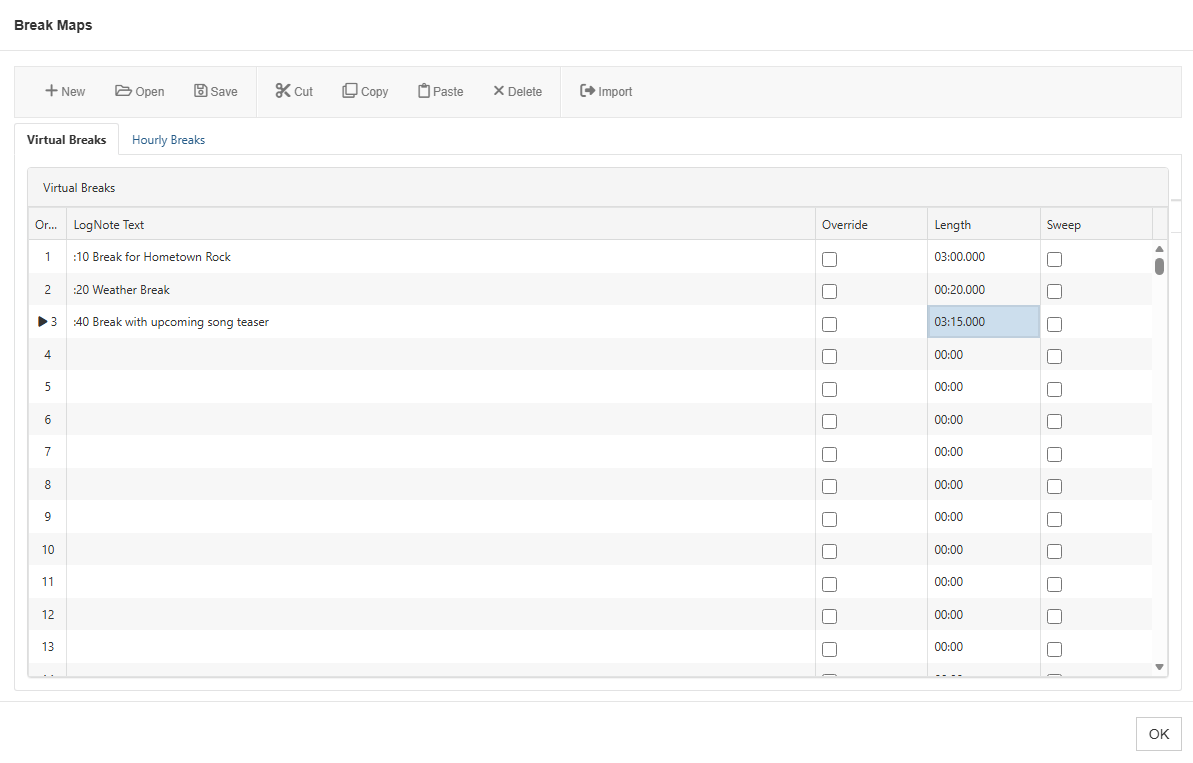
Virtual Breaks allow you to export a single log from a station using multiple exports that can apply different breaknotes at selected times that can vary per export output.
Library AutoFill
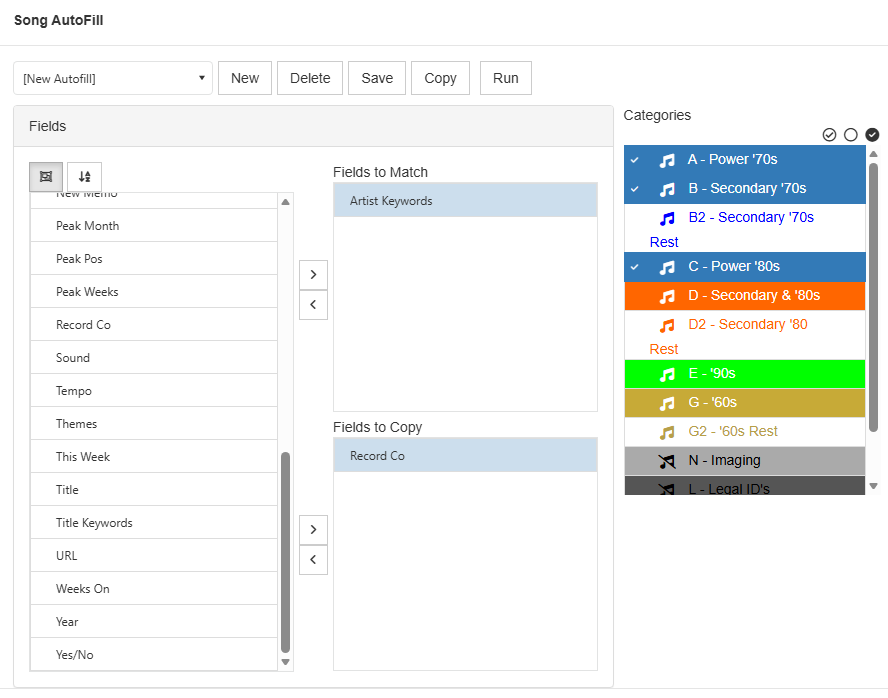
AutoFill allows you to match any given list of fields on a newly entered song against existing songs in your station, and then fill in values from the existing songs on the new one. Typical uses for this include information that would not change; i.e., if you match the Artist, the Birthdate information would be the same.
Find Similar
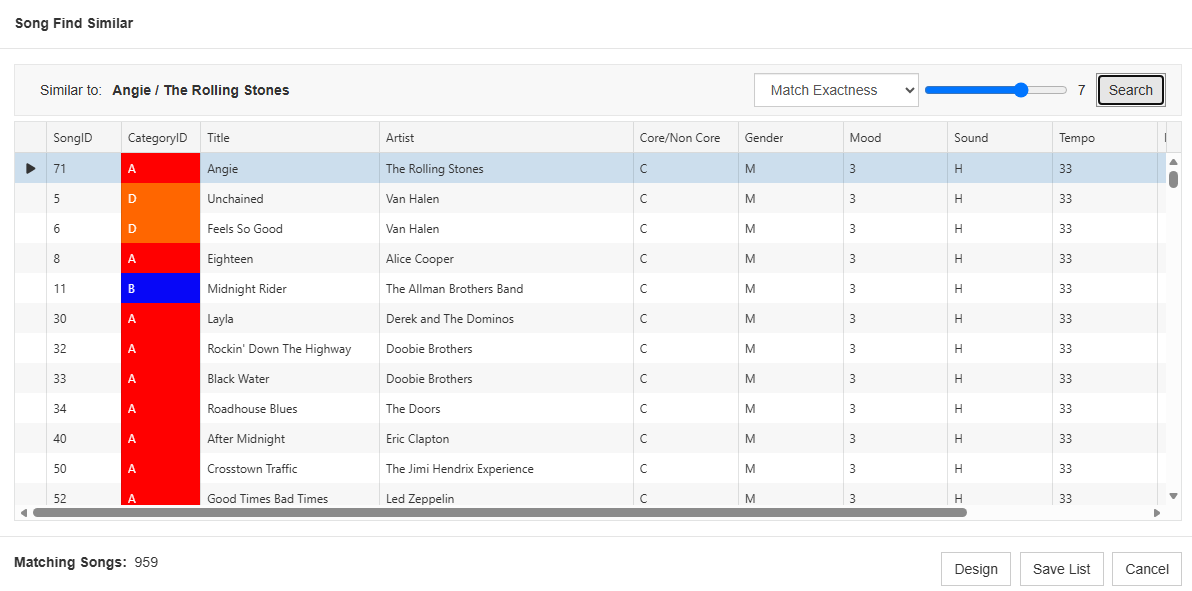
Find Similar shows you songs in your station that have values in selected attribute type fields that are a match or close match to the selected song.
Other improvements include:
New Hour Rotation rules for Keyword fields. You’ll have more control of your Keyword with these four new rules: Day Exclusion Mask, Exclusive Day Offset Window, Exclusive Play Offset Window and Play Exclusion Mask. These rules work the same way they do for Hour Rotation.
When you use F5 in the Schedule Editor, it swaps the elements and all of their properties. You can now use ALT-F5 and swap only the songs scheduled in the elements, not the elements and their properties. You can also go to Schedule Properties and configure F5 so it does this song swapping by default.
The MMCS Server now supports the use of Azure SQL databases.
There are also many other fixes and smaller improvements available as well. Please contact your Music Scheduling Consultant for more information and to schedule your upgrade.