
MusicMaster Blog
Why Your Categories Matter More Than Your Clocks posted on November 13th, 2026
by Paul Ziino
Whenever we begin working with a new customer, the first step is importing their library. Second is categorizing that library. There are many ways to categorize, and it’s important to make the best choice when doing so, as that will dictate how your clocks will be built, your rules set up, and the flow of your music log.
One of the most common ways we see categorization done is by year of release: Currents, Recurrents, Gold, et cetera.
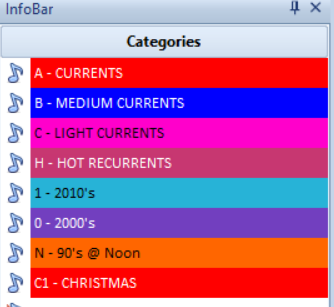
This method can work well if your main objective is to control how often you want each year or group of years to play. On a currents-based format you could be playing your heavy currents as much as 60+ times per week, so having your library set up like this will make that most easily accomplished.
You can do similar categories in gold formats if you are trying to maintain a flow of 70s vs 80s vs 90s.
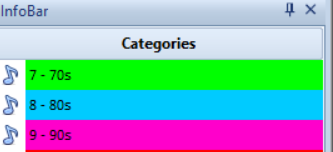
Using this method you’re able to dictate how many of each era you wish to schedule per clock and where you want them plotted.
You may even want to break the era categories into primary and secondary, so your better testing songs go into a primary category, and the lesser testing songs go into a secondary category.
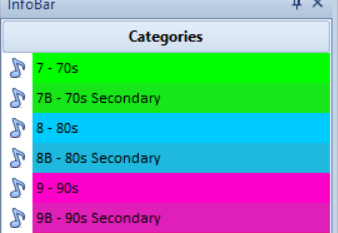
Now you can dictate where you want those lesser testing songs played in the clock.
Using the primary and secondary category method can also come in handy if you want to limit how much music is in your active library. Let’s assume all songs are equally good…after all you would never play a bad song! Now let’s say we have 250 songs from the 70s we want to play, but to get the best rotation we can only have 120 of them active. We could place the other 130 in the secondary category, then set up Auto Platoon to move songs in and out of those categories. You can learn more about Auto Platoon in Brian Wheeler’s blog article here. https://musicmaster.com/?p=11696
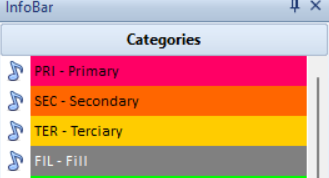
Another method we see is categorization by popularity where all the most popular songs go into one category, the second most popular into another category, and so on.
If you are scheduling Classical music, you may use an entirely different method of categorizing your library. In this format we frequently see categories broken down by song duration in addition to period or popularity. For example: Romantic Short and Romantic Long. Or Primary Short and Primary Long. You might even have a third category for each period or level of popularity, depending on the length of your pieces.
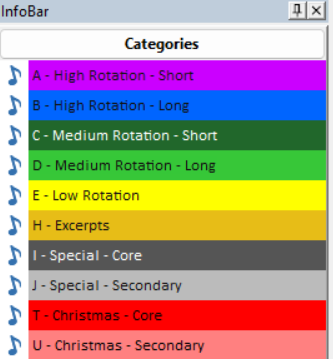
No matter which method of categorization you choose, you’ll also need to rely heavily on coding to prevent similar songs from playing too close to each other. Some coding ideas may be for year, era, sound, or genre. Your rules will help with the separation of those codes.
We’ve seen MusicMaster users start with one method then decide to change to a different method. I recall one customer who changed methods every few months, trying to find the exactly right setup for his station.
In summary, your categorization dictates how you’ll code your library and how your clocks will be built. Getting your categories built and populated is the first step in making your MusicMaster sing!