
MusicMaster Blog
Autoburn posted on January 30th, 2026
by Brian Wheeler
It’s time to talk Autoburn. What is it? Why would I use it?
First, let’s talk a little bit about scheduling theory. When programming a music-heavy radio station, our goal as broadcasters is to entertain our audience. We want to provide a product that pleases and entertains the listeners. Obviously, you’d do well to ensure that they’re listening to good music. The audience also likes to hear some variety in that music. That doesn’t necessarily mean you need a huge library of music. Rather, it’s equally important that you rotate your existing library in such a way that the music hits different dayparts and different hours regularly. The hope is that our audience, which is generally comprised of ‘creatures of habit,’ is exposed to a varied portion of your library at any given listening session. In that case, the perception by those listening is that you have a comprehensive, yet focused library you’re presenting to them whenever they tune in.
So how do we get more varied rotations? I get asked a lot about the ‘magic numbers’ needed to attain perfect rotations. While there are some numbers that sometimes work better than others, it really comes down to math. Not all numbers are equal in that respect. I CAN tell you that numbers I tend to avoid also evenly divide into 12 and 24, since we’re generally working with a 24-hour day. Here’s a brief illustration of that math.
A category that has 6 songs in it and is called for once an hour in your clocks will rotate like this: 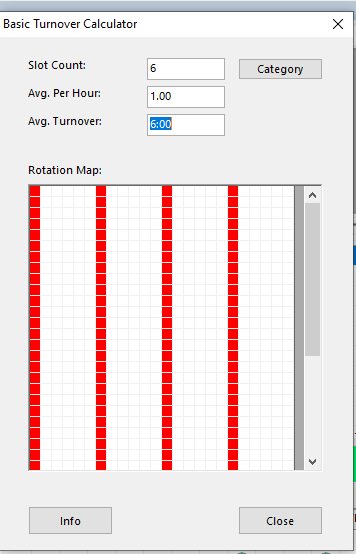
The same song plays at midnight, 6am, noon, and 6pm every day. Your ‘creatures of habit’ listeners are now living in Groundhog Day and they are hearing “I Got You Babe” every morning courtesy of your radio station. That’s no good. A 12-song category would hit at midnight/12p, etc. etc. This is bad math, rotationally speaking.
The easy answer is, fix your math. Instead of 6 songs played once an hour, play 5 or 7 songs, right? Typically, this is the way.
But what if you can’t fix the math? What if you are mandated to play 6 songs? Or let’s say you’ve done an auditorium test and you’ve now got 144 great-testing gold songs you want to play, but you use 3 an hour and that combination makes your rotation look like this?
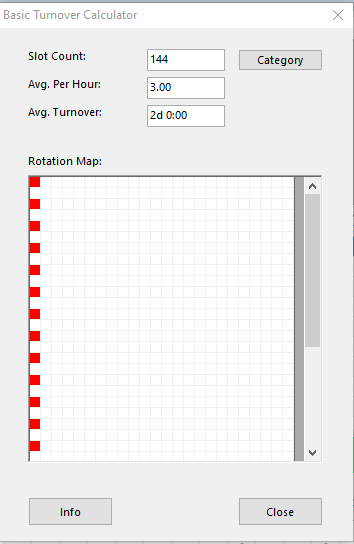
Here’s where Autoburn can shine. Autoburn is designed to throw a proverbial monkey wrench in the works. How does it work? You decide where you’d like to ‘burn’ one or more songs to offset the poor rotation brought on by category size and clock calls.
For example, you’ve got a 7-song current category that would rotate well, but you simply don’t play that category in your morning show. What should be a great rotation is fouled by the absence of your Power Category for three hours a day. Look at that stacking below! Hideous.
Turnover Analysis (shown in our Web Client) showing bad turnover:
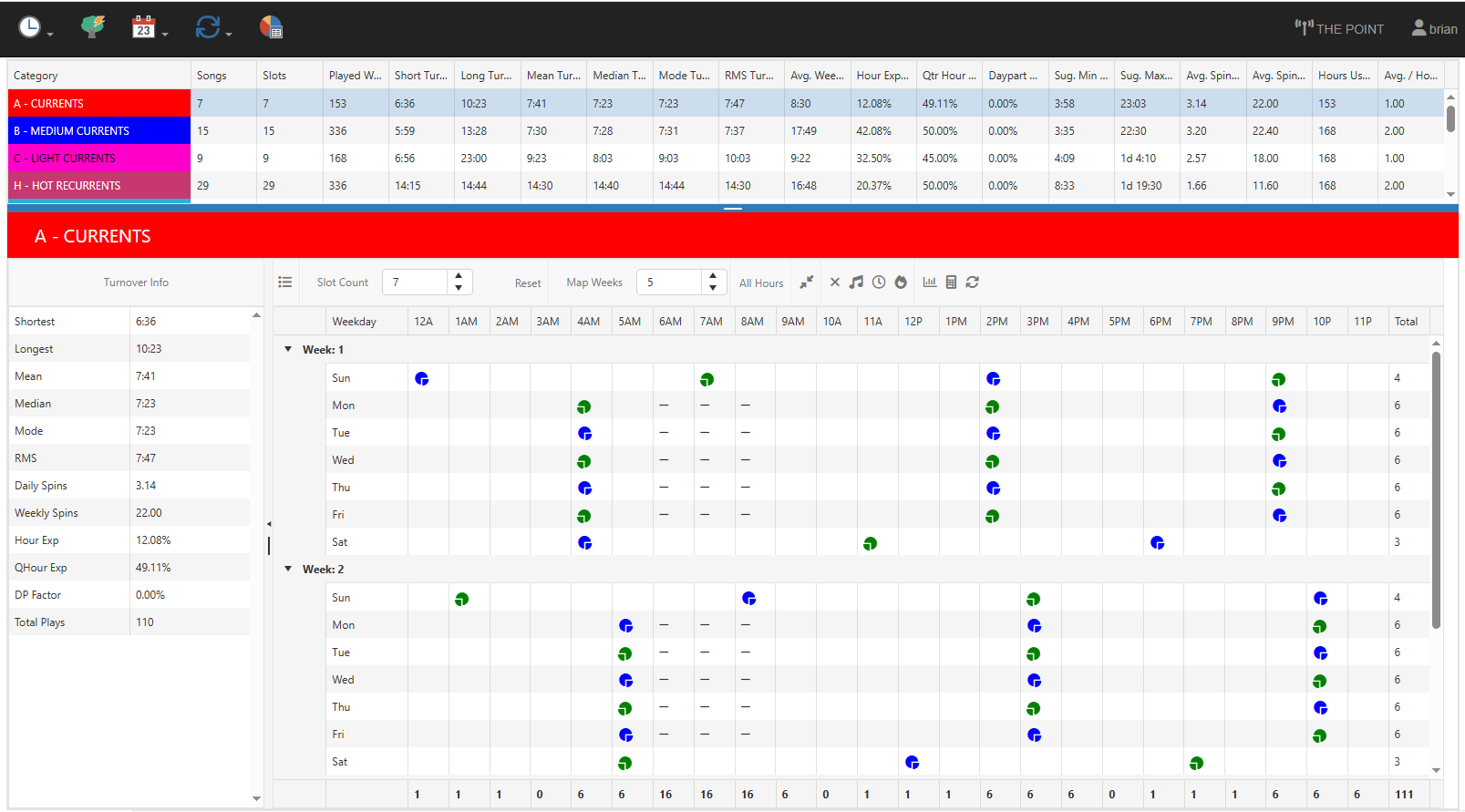 But, if we simulate plays during those 3 hours a day, we can right the wrong.
Let’s add an Autoburn of one song to the three hours of the morning show. The Autoburn skips the next current to play in each of those hours to perpetuate the good stair-stepping pattern that our good math would have provided had we actually played the song.
Shown in CS:
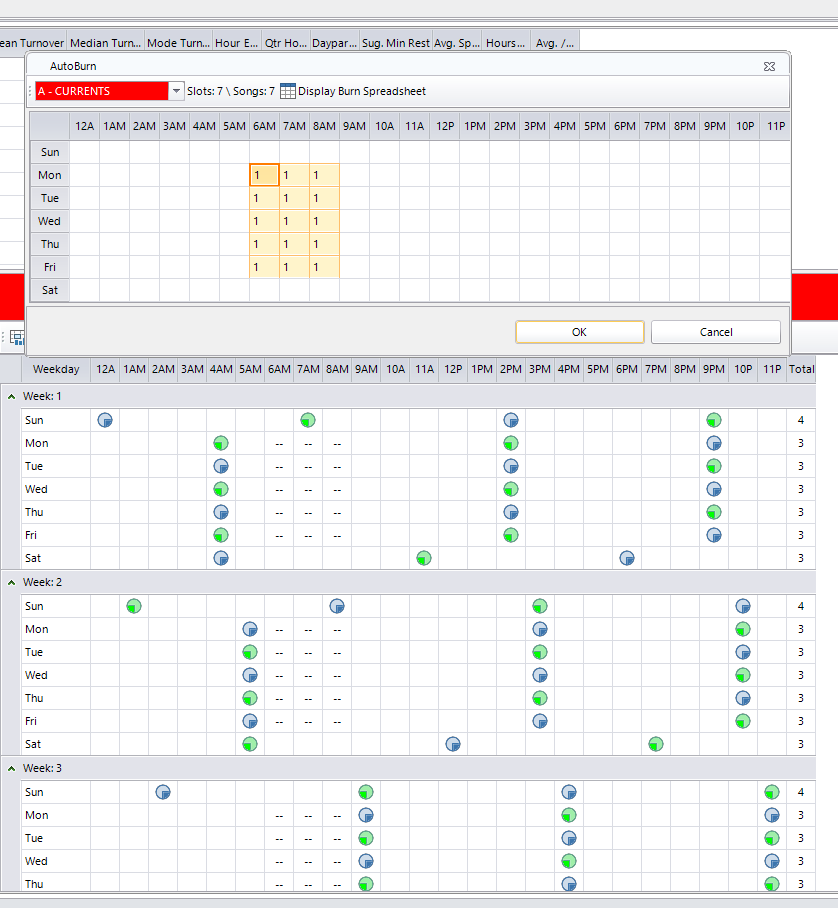
Click OK, and MusicMaster will recalculate the rotations now that there is an Autoburn setting to offset the three missed plays in the morning show. Here is the result of our Autoburn setting.
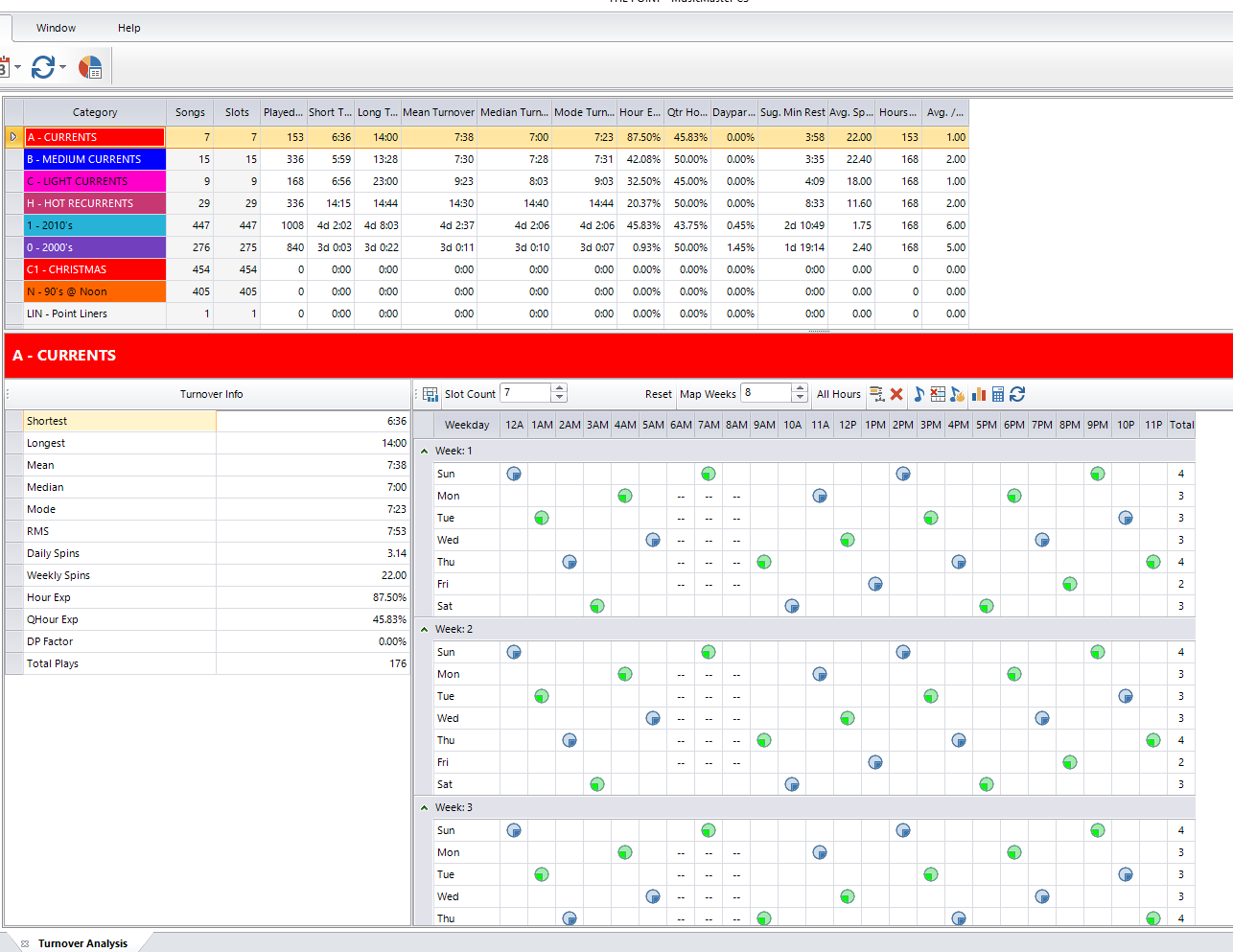
Ah, yes… that lovely stair-step rotation almost brings a tear to the eye. All is well again.
When your rotations aren’t quite right, the first thing I’d recommend is checking your math. Using the Turnover Calculator is a very handy tool for doing a lot of math for you. Make sure your category size, clock calls, and any other factors and influences such as Dayparting and Gold Recycling are as intended. If you’re certain that everything checks out and you still require a rotation adjustment, Autoburn may be the tool that makes the difference.
As always, feel free to reach out to your MusicMaster MSC for more information or assistance in applying this tool if you’d like some help.