
MusicMaster Blog
Streamlining Your Library Management with Library Sync: A Game-Changer for Ratings Success publicado em May 15th, 2024
by Jerry Butler
Introduction:
In the world of radio programming, staying ahead of the curve is paramount. As program directors are now stretched thin managing multiple stations and formats, promotions, and corporate reports, time is a key element we are all short on. Programmers strive to maintain a fresh and appealing sound for their audience, but the process of managing a library can often be time-consuming and labor-intensive. However, with a properly formatted library sync, the task of refreshing your library just in time for ratings has been revolutionized. In this blog, we’ll explore how utilizing a library sync can streamline your workflow, saving time and effort while ensuring your programming is finely tuned for success.

Efficient Import of Research Numbers, Music, and Imaging:
One of the key features of library sync is its ability to import various elements seamlessly into your library. Whether it’s the latest research numbers, your competition’s spin count, new music releases, or updated imaging, a well-configured sync can ensure that your library is always up-to-date with the latest content. This means no more manual data entry, saving you valuable time and reducing the risk of errors.
Categorization Made Easy:

For program directors tasked with organizing their library for ratings, categorization is crucial. Traditionally, this process could be arduous, requiring hours of manual sorting to ensure each songs are placed in the correct categories. However, with a library sync in place, categorization becomes a breeze. By creating a sync definition file that specifies how songs should be categorized based on various criteria such as genre, tempo, or mood, you can automate this process. The result? A meticulously organized library in a fraction of the time it would take to do manually.
Case Study: Transforming Workflow Efficiency
I worked with a program director who programmed multiple stations and formats. Before implementing a library sync, he spent days preparing his libraries for ratings. Running through reports from his consultant, sorting through hundreds of songs, updating metadata, and categorizing each track was a daunting task that consumed valuable time and resources. However, with the introduction of a library sync solution, this process was streamlined. By creating a sync definition file tailored to his specific needs, the program director was able to automate the process. What once took days to complete could now be accomplished in a matter of minutes, freeing up time to focus on other aspects of programming and ensuring the library was finely tuned for ratings success. So why spend days manually managing your library when you can accomplish the same tasks in minutes? Embrace the power of library sync and take your programming to new heights.

If you want to import or update music, coding, imaging, research numbers, your competition’s spins, or just need a library refresh where all songs move to specific categories, your MusicMaster Scheduling Consultant can help you get a library synchronization file set up to streamline your process.
Some quick tips to make sure your synchronization works flawlessly:
- Standardize your reports with the same columns and format.
- Use a unique identifier – Cart Numbers work great as a unique identifier.
- If no unique identifier is available, you can use the artist and title to match, but your MusicMaster data must match your source file exactly. Just make sure your Artist and Title match your research report, MediaBase report, or report from your consultant. This can be a bit of work the first time, but the reward is worth it.
Contact MusicMaster support today to get your library ready for ratings.
Keyword Control publicado em April 30th, 2024
By Dave Tyler
I say it all the time, MusicMaster is such a robust and powerful piece of software, and it can do so many things that are likely underutilized by a lot of users. I am the same way. I have a Korg keyboard/synthesizer and I always figure at some point I will get around to really digging in further to see what it can really do…but most of the time I just wind up putting it “Grand Piano” and playing for 20 minutes and I’m done. However, I know that thing has vast, magical capabilities that I don’t know about. Today we may unearth one of those for you in MusicMaster!
In the song “Control”, Janet Jackson exclaims “Control, I want a lot of it”!!! Me too, Janet. So let’s talk about keywords.
Almost all programmers will be familiar with Artist Keyword separation. It keeps the same artists from playing again for a specific time frame that we set. It is one of the most important and most used rules in MusicMaster. But did you know you can also set up “Custom” separations for specific keywords? Let’s take a look at how and why we would do this.
If you are a Classic Rock or Classic Hits station, you probably have a ton of songs by The Rolling Stones, The Beatles, The Eagles, The Doobie Brothers, ZZ Top and more. While these are certainly core artists to the format, they have so many songs that it would be easy for them to schedule in a majority of the hours in your day. Let’s say you have a general Artist Separation rule of 1 hour and 10 minutes (kind of the industry standard), then those artists would be available to schedule just about each hour. Of course, you have other rules and goals in play that may nudge them around a bit, but simply because there are a lot of them, they always seem available.
I understand we are also getting into programming philosophy here and it is completely up to you to make your station sound the way you want it, and you may want these artists to play every hour, and it might be why you are the market leader. Then again, you might not want to be known as “Rolling Stones” station and choose to stretch the time between their plays a bit more, or you may want them to play more often because they test so well in your market that you feel you can’t play them too much! If you want that level of added control, you’ve come to the right place…let’s talk custom settings.
Before we get started, it is important to note that for custom settings to work you must already have a Keyword Time Separation or Hour Rotation rule (depending on which you are making custom settings for) in place for that category (either in the All Category Rules or in that particular category’s Unbreakable rule folder).
In MusicMaster, you can go to Dataset/Library/Keywords to open the Keyword editor.
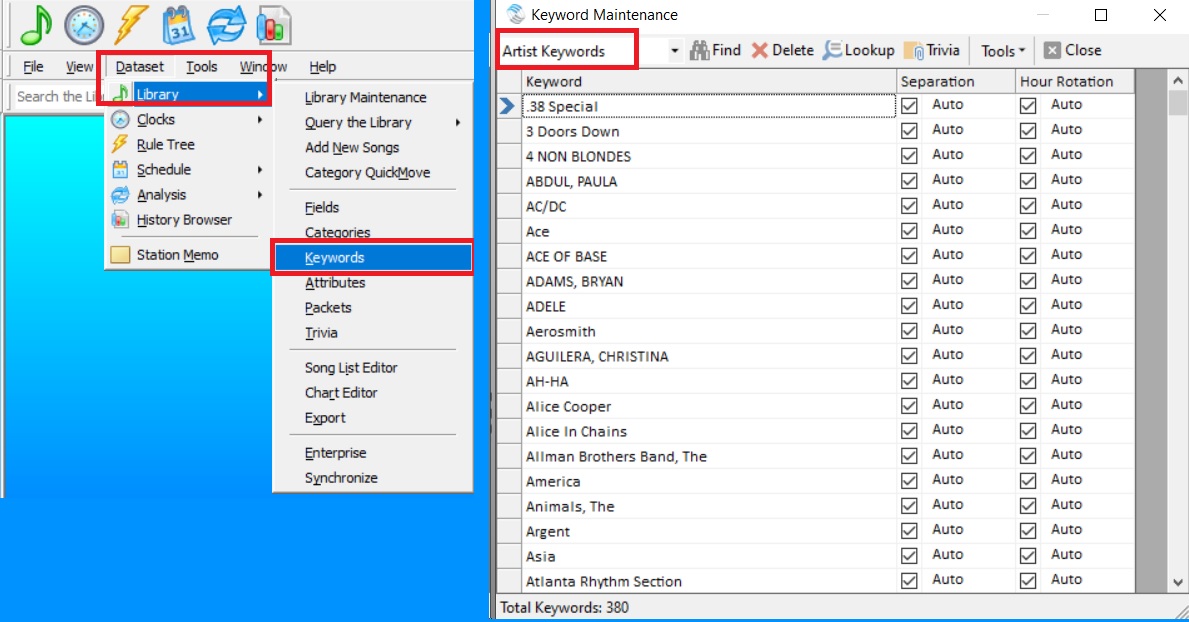
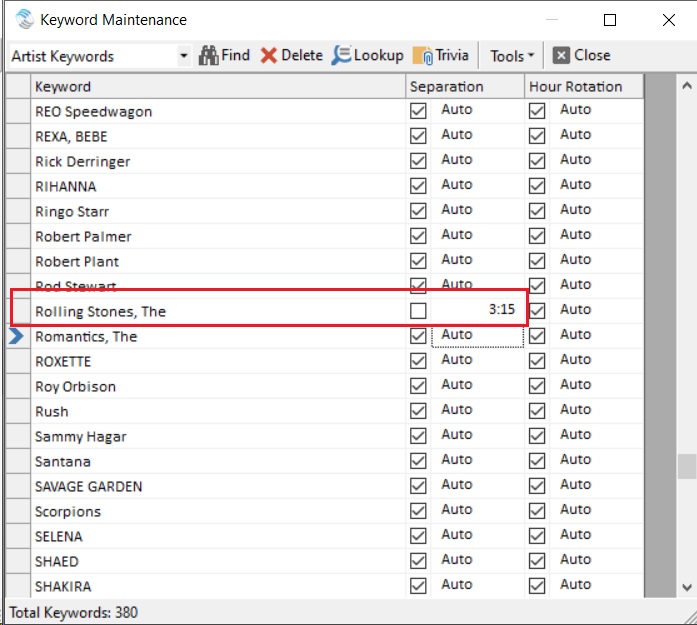
From the dropdown, I will choose Artist Keywords and then scroll down to the Rolling Stones. We see two columns to the right. One for Separation and one for Hour Rotation, and most will have a check in the box. If the box is checked this means that it is using the general overall value (in our example the 1:10 we mentioned earlier) as its time separation. If you uncheck that box, then you can set your custom time separation for that artist. In my example below I have set the Stones to a 3 hour 15 minute custom separation to keep them from playing too much. You can also use this tool to speed up the availability of an artist by shortening the length.
Another good example of using custom separations is for One Hit Wonders. I programmed an A/C station in the 90s, and I recall there being three artists that were trouble for me. Nothing against them but Dan Hartman “I Can Dream About You”, Matthew Wilder “Break My Stride” and A-ha’s “Take On Me” tested great and were an easy pass for my rules because they were all male, medium/up-tempo songs, and the fact that they were one-hit wonders meant they didn’t have any other songs to compete with. So once they met their Minimum Rest time, they were back up to the bat. Great songs, but they were getting way too much exposure. A custom time separation rule would’ve been a dream come true for me at that station!
This idea can also be used Novelty songs. A good example is Elmo & Patsy’s “Grandma Got Run Over By A Reindeer”. I remember it was about a week and a half after Thanksgiving and we were already playing a few Christmas songs an hour and we were getting calls that we played that song too much. I checked and it was literally the second time the song had played in the two-week period, but it is a polarizing song and it really needed to be relegated to a much longer rest as well as hour rotation so it wouldn’t make an appearance during the same shift. This is a good example of using a custom setting on your Title Keyword but also leads us to the other checked box: Hour Rotation.
Here is an excerpt directly from our Help section in MusicMaster that expertly explains this feature. Hour Rotation refers to the rotation of the keyword, not the song. For instance, you might configure a Keyword with a one day, one hour rotation rule. This would mean that if a song with that keyword played in the 6am hour today, no song by that Keyword would be able to play in the 6am hour tomorrow (provided the test is configured as unbreakable). This can be a very restrictive rule and is typically not placed on keywords that are core to your database.
Using these custom settings provides you with an additional layer of control over your library and the sound of your station. As always, if you have any questions just reach out to your MusicMaster dedicated representative.
Triple Feature, Part Two: Camp-In in Athens publicado em April 29th, 2024
by Brian Wheeler
“How would you like to go to a Camp-In in March?”
“Camping? IN MARCH?”
“No, a CAMP-IN…in March. David Lowery and Cracker are holding a Camp-In in Athens, Georgia in March. It’s actually their tenth Camp-In. But it sounds like it’s going to be a blast. No ACTUAL camping required.”
“I’ll check hotel availability!”
And that’s how the next music adventure was to begin.
I’ve wanted to visit Athens, Georgia since I was in high school. It’s a cool little college town about 70 miles northeast of Atlanta. R.E.M., The B-52s, Pylon, and Widespread Panic hailed from Athens and were lighting up stages while I was in my youth, and great bands like of Montreal and Drive By Truckers continue to represent the city well. This fertile musical ground had to be explored, and I finally had the chance to do it. Ground zero is the 40 Watt Club, a music venue that was established in 1978. Although the club has moved a few times, the spirit of the venue has followed throughout. The 40 Watt has been at its current location at 285 West Washington Street since 1991. Capacity is 460, but a few more manage to squeeze in during the big shows.
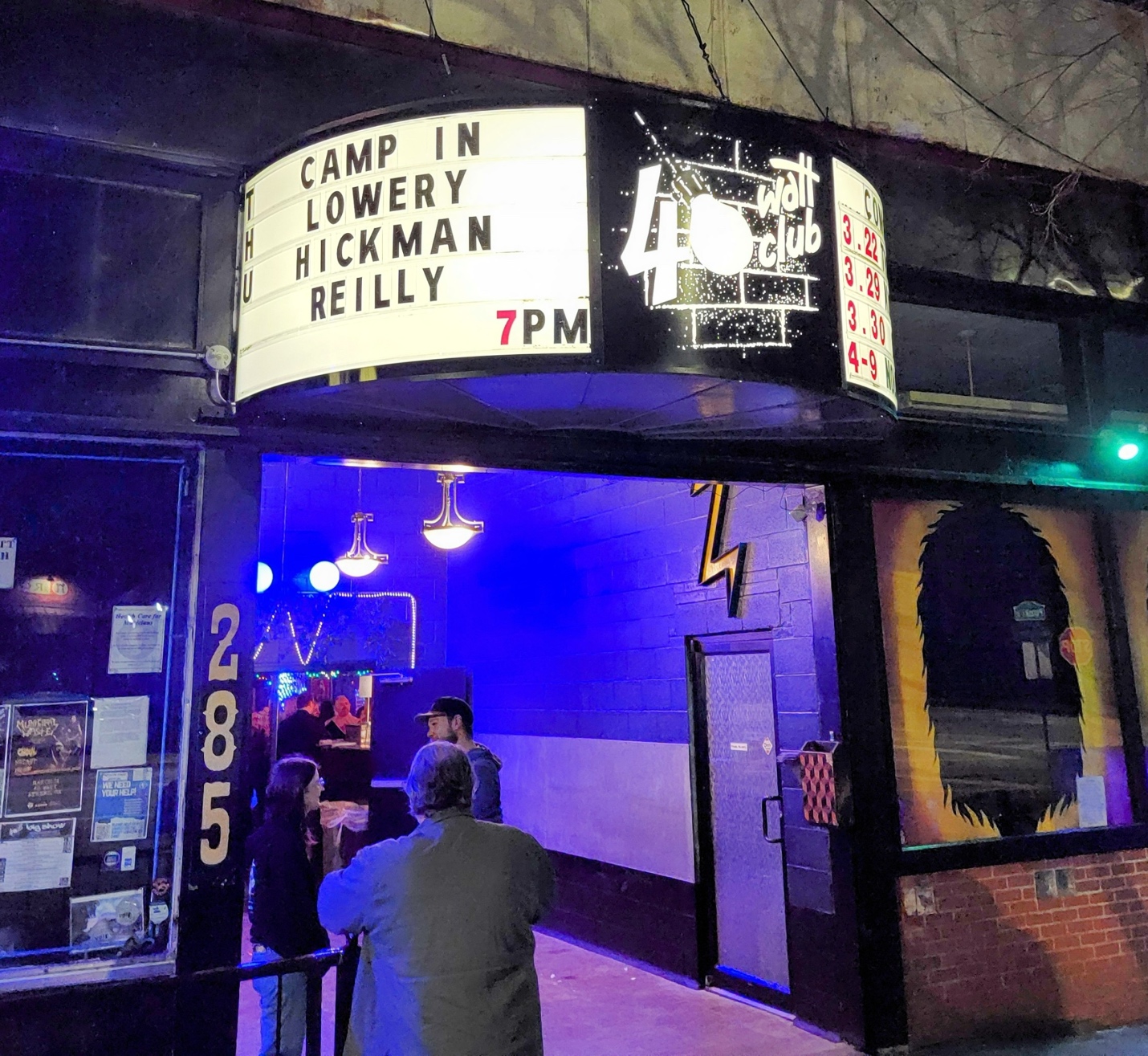
Nearly all of the Camp-In performances over the four days were to be held at the 40 Watt, so my wife Stacy and I became well acquainted with the venue. David Lowery and Johnny Hickman have been the battery of the band Cracker since their inception in 1990, and were to be the main feature at each event. They’d bring in a slew of talent to complement nearly every performance and morph each evening into something different and wonderful.
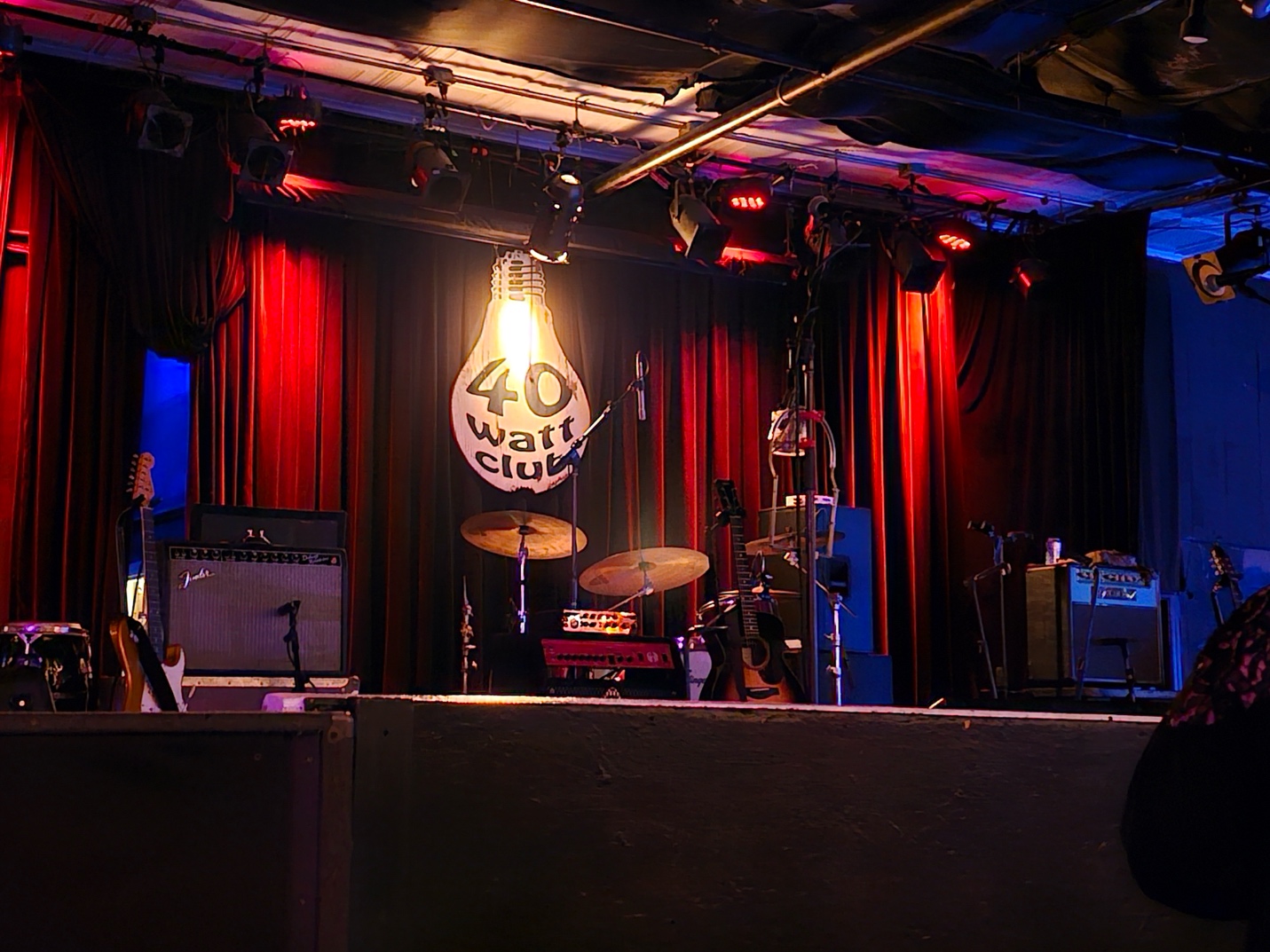
Why was Athens chosen for the Camp-In? David Lowery earned an Ed.D. from the University of Georgia and now calls Athens home. He lectures at the University of Georgia on behalf of their Music Business program. His wife, Velena Vego, is very active in the music community and is the talent buyer for the 40 Watt, as well as manages Cracker. Celebrating their 10th year in Athens, The Camp-In has held other names and locations including “Campout” at Pappy and Harriets in Pioneertown, CA and “Campout East”, at Crozet, VA.
My wife Stacy and I were actually looking forward to the drive from Atlanta’s airport to Athens. We planned a fairly circuitous route, including a visit to an ever-growing cultural phenomenon in the southern United States: Buc-ee’s. I’d heard of Buc-ee’s some time ago, but I really didn’t give it a second thought. Since then, evidence of Buc-ee’s (mainly via their t-shirts) have slowly migrated their way north to my neck of the woods in Minnesota. But alas, we still have no Buc-ee’s anywhere near us. I HAD to take the opportunity to introduce Stacy to the wonder that is Buc-ee’s. I first experienced Buc-ee’s as I drove my newly obtained music collection (see my other blog post regarding that adventure!) out of Texas under the cover of night. This time, we’d be taking it all in during the heart of the day in the middle of Georgia. This Buc-ee’s location was well out of the path toward Athens, but we had no other pressing obligations. Approaching the Warner Robins Buc-ee’s location, my wife saw the sprawling Buc-ee’s compound featuring more than 100 gas pumps, tens of thousands of square feet of shopping bliss, and restrooms that would dwarf the footprint of most convenience stores. It was a monument to convenient capitalism. We poured ourselves a huge tankard of diet soda (99 cents!), grabbed Beaver Nuggets and deep-fried pecans, even nabbed a Buc-ee’s t-shirt. I told her that their brisket sandwich was better than it had any right to be, so we picked up one of those as well. She now knew the wonder that was Buc-ee’s. Fully stocked with snacks for the weekend, we hit the road for Athens.
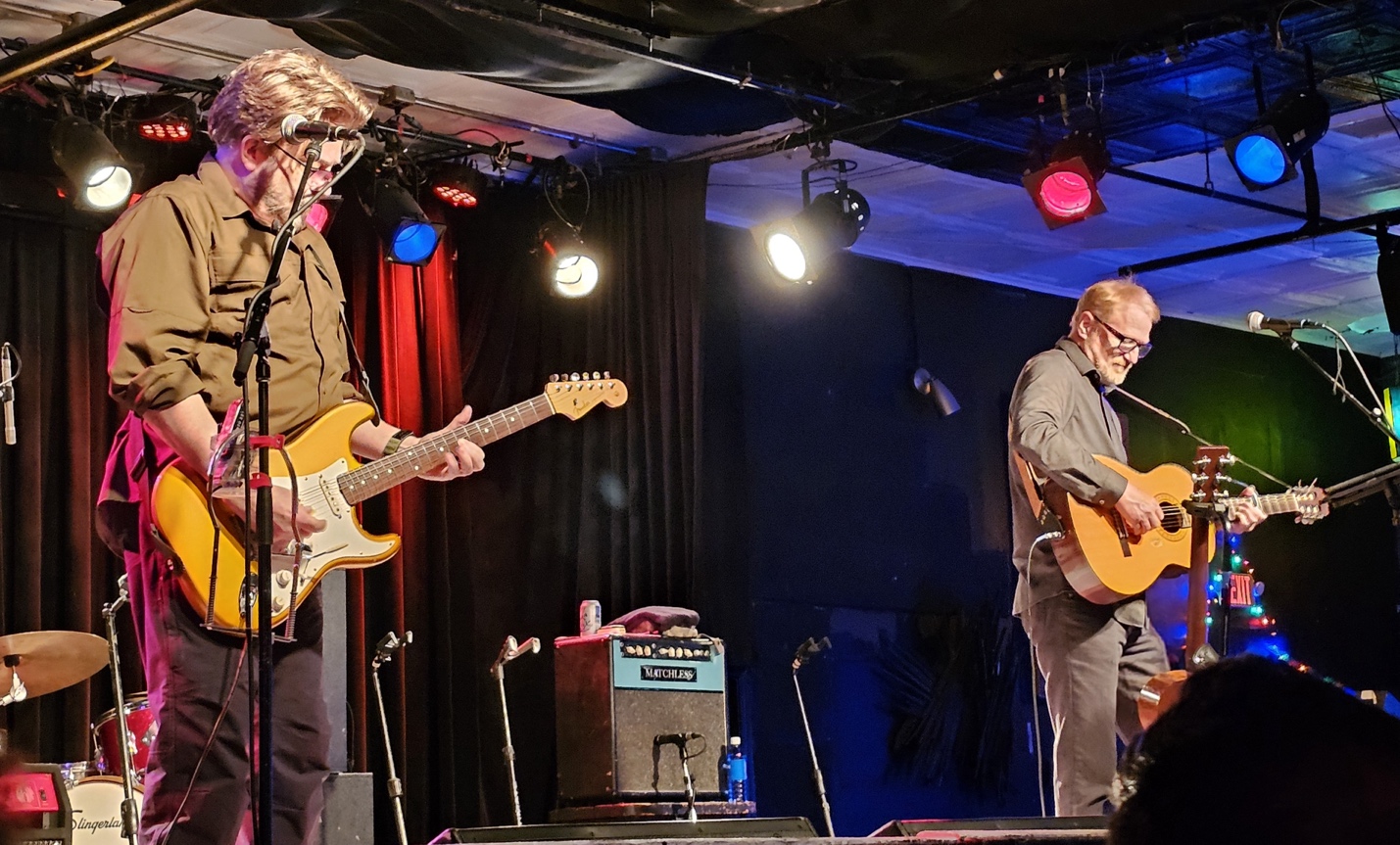
Night One of the Camp-In was David Lowery and Johnny Hickman performing acoustic renditions of mostly Cracker favorites. In attendance was a rag tag group of superfans lovingly called The Crumbs. The Crumbs are in full force at each Camp-Out and Camp-In, and they are very much like an extended family to each other. They’re largely friendly folks and are eager to share stories, pictures, and any manner of homegrown swag they may have created on their own. We collected a couple of different stickers to memorialize Camp-In 10 from some friendly Crumbs mere moments after we entered the venue. The performance itself was cozy, intimate, and quite entertaining. Stories, inside jokes, and a relaxed atmosphere made the experience worth the trip, and we were only at night one of the 4 day event.
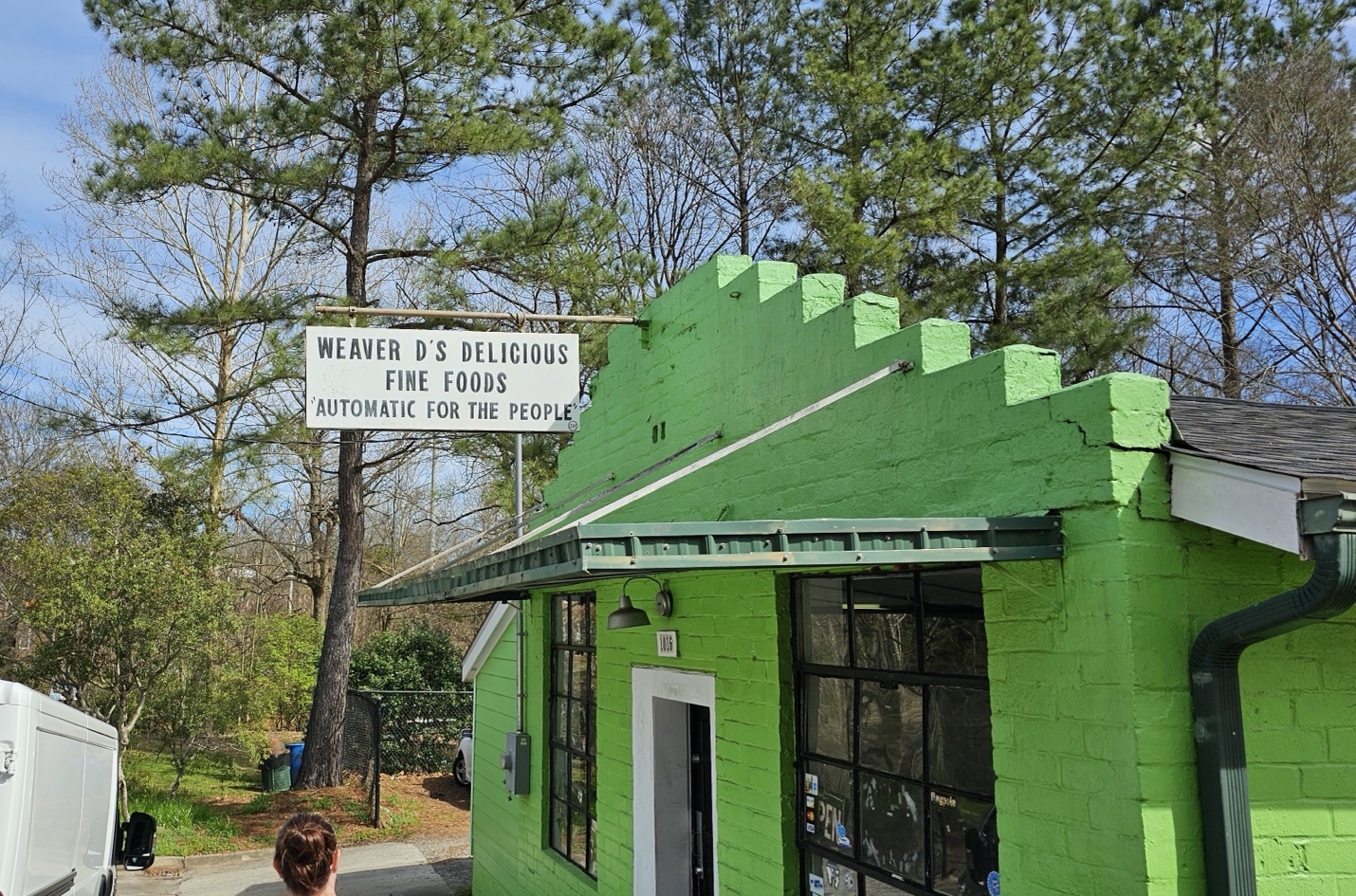
Since all the performances but one were scheduled for the evening, we had our days free to check out the lay of the land. I’ve been a big R.E.M. fan since my school days, so we decided to hit Weaver D’s Delicious Fine Foods. Weaver D’s is a restaurant that has been serving soul food classics since 1986. Weaver D’s was a regular stop for Michael Stipe, so much so that R.E.M. approached restaurant owner Dexter Weaver to ask him for permission to use the restaurant’s slogan “Automatic for the People” as the title for their 8th studio album. Dexter agreed, and his restaurant has been a pilgrimage destination for R.E.M. fans ever since.
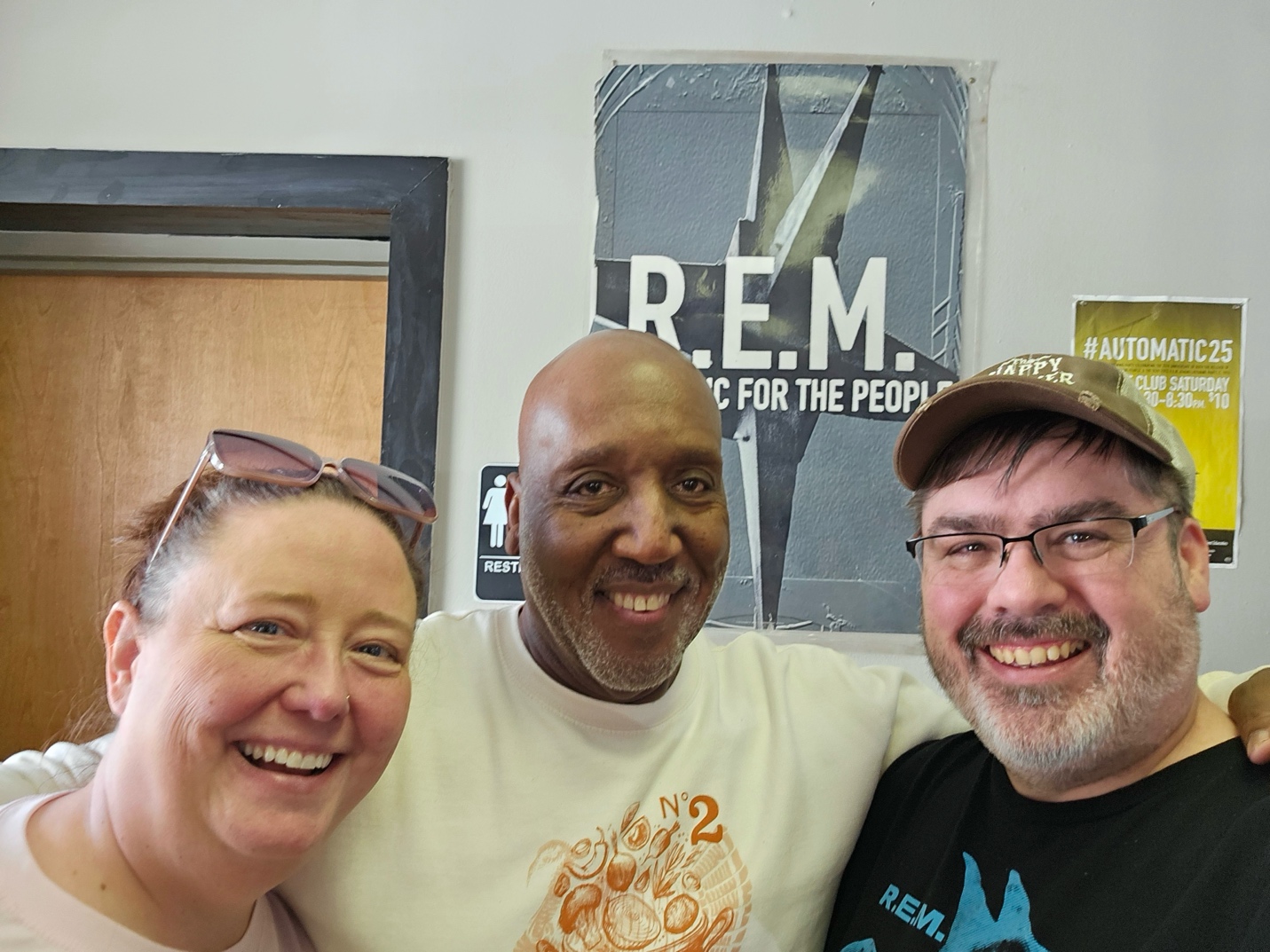
I spoke to Dexter Weaver himself after our delicious meal, and he told me the story of being approached by the band management about using his slogan as R.E.M.’s album title. He was hesitant at first, not knowing what their angle was. When he realized that the band was simply a fan of his establishment, he was happy to agree to their request. I loved that, in our conversation, Mr. Weaver peppered his responses with “Automatic”, using the word as an affirmation. We found ourselves doing the same thing for the rest of the trip.
We couldn’t help but hit the area record stores as well. How could I not? One of the local shops is virtually next door to the 40 Watt, Low Yo Yo Stuff Records. The owner and proprietor of Low Yo Yo Stuff was taking a lunch break but graciously let us in to peruse his aisles. He was a real character as many record shop owners can be. He had great stories, some interesting perspectives, and was quite helpful in finding some hard-to-find nuggets for my ever-growing music collection.

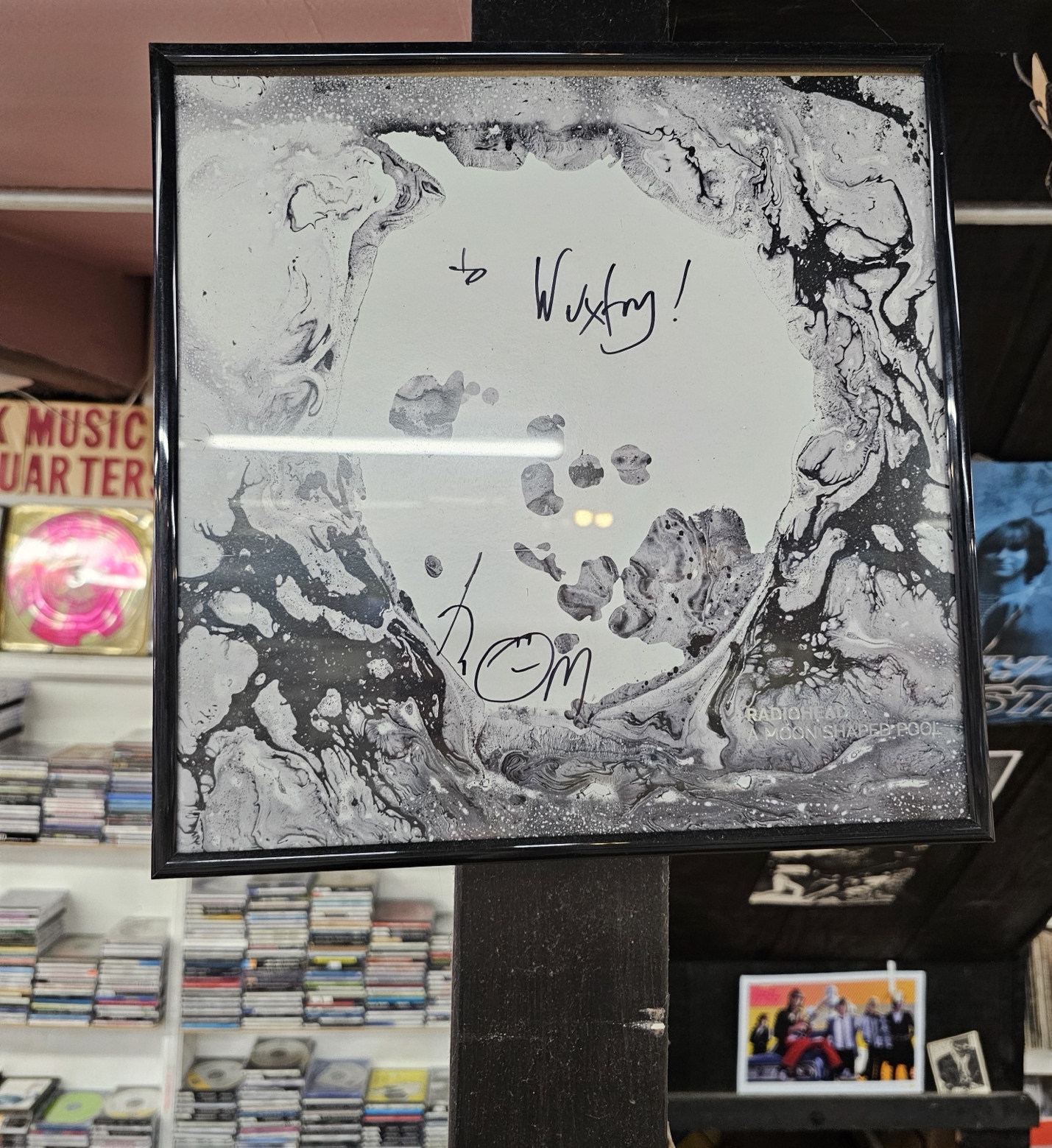
Next on the list was Wuxtry Records. This was the shop I’ve always heard about, and it definitely scratched my record store itch. If Wuxtry was in my town, I’d spend a ton of time (and way too much money) there. It had a great balance of old stock and new releases, and I spent a lot of time just looking at the walls and imagining all the people that had walked these aisles while listening to the sound of fingers flipping through vinyl. It felt like a meditation. R.E.M. was essentially BORN here, as Peter Buck worked in this very shop and met Michael Stipe here. Kate Pierson of the B-52’s also worked here. Danger Mouse (Brian Burton) worked here! Pretty cool stuff.
While attending the Cracker Camp-In, I made fast friends with Scott Munn. He manned the merch table at each event and was clearly a music head as well. I couldn’t tell if he was more of a music head or a sports guy, he seemed so well-versed in both topics. Considering the fact that he’s been a tour manager and stage manager, I’m going to slightly lean toward Scott being a Musichead. We chatted a lot and I learned that he hosts a podcast called “Braves Country Podcast”. After some good-natured ribbing regarding the 1991 World Series victory the Twins had over the Braves (“*cough cough* CHEATER *cough cough*”, Scott would say in reference to the well-documented Ron Gant/Kent Hrbek incident), we found we had a lot of common ground as well. His podcast juxtaposes sports (mainly Braves baseball) and music. They’ll talk baseball, then he’ll have an interview with a musical guest from time to time as well. Cool stuff. Recent guests include The Indigo Girls and Mike Mills of R.E.M. I invite you to check out his podcast.

Night two of the Camp-In featured Lowery, Hickman, with friend and rock-n-roll soldier Ike Reilly. The evening was referred to as a ‘song swap’, in which each artist exchanged solo performances, intertwined with stories and laughs. It was a thoroughly entertaining evening once again, with an intimacy rarely enjoyed in live music these days.

I was first introduced to Ike Reilly during an infrequent day drinking session with some close friends of mine many years ago. We strolled into The Turf Club in St. Paul for libations and people watching. One of my friends strolled over to the juke box known for its eclectic selections and plugged a quarter in to play the last track from Ike Reilly’s critically acclaimed album “Salesmen and Racists”. I was instantly hooked. I told Ike that story after his set with Lowery and Hickman and he lit up, proclaiming that he was playing the Turf the following week. We then talked about how he plays a venue in the Twin Cities every Thanksgiving Eve, and he said he’s done that for the past 20 years. I asked him why, thinking he had family in town or something. He said “I’m a creature of habit.” I laughed while he also acknowledged he gets good turnouts for those shows. Makes good sense to me. If you haven’t checked out Ike Reilly, you should. He’s Chicago tough, but I’ve never had a bad interaction with him.
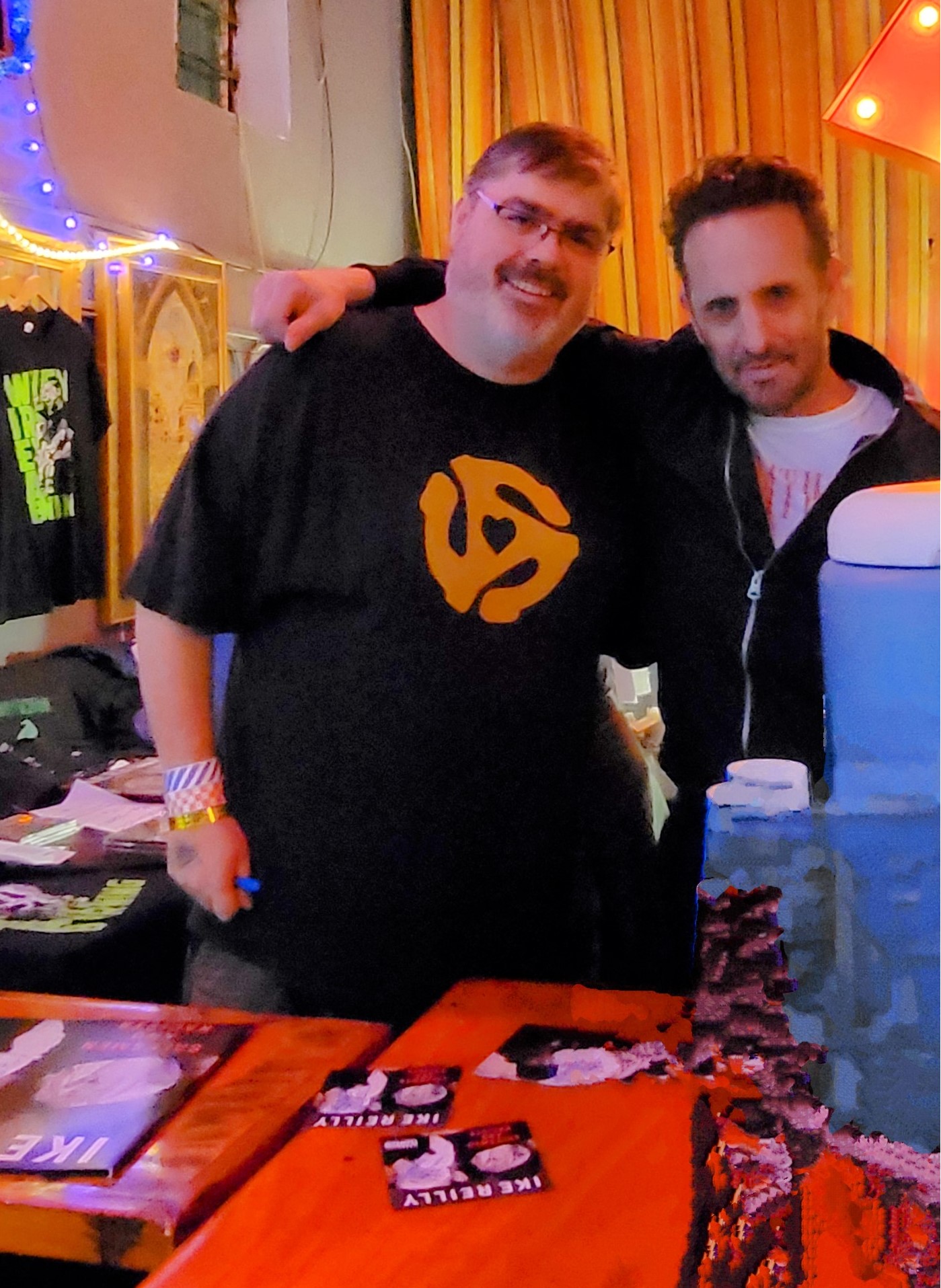
There were two more nights of plugged-in performances at the 40 Watt and one afternoon solo performance at a coffee shop by Johnny. Johnny Hickman is a fantastic guitarist, the vocal foil for David Lowery, but also quite the storyteller in his own right. He’s got the charisma of a front man and can hold an audience with his smile, his wit, and his chops. It’s really no wonder he and Dave have worked together so long. They seem to complement each other very well. The two plugged-in performances also brought the other current Cracker band members and a cadre of supporting artists that joined the band on stage. Among these artists was Megan Slankard, who opened for Cracker for the first electrified performance. Aaron Lee Tasjan and Anne Harris opened the second night and joined in on the performance, with the latter Harris captivating the audience song after song. She’s an expressive violinist that effectively elevated each song like nothing I’ve ever seen. All additional musicians brought their own flavor to the shows and performed admirably. Even the young steel guitar player only known as Cannon, a University student of Lowery’s, showed remarkable skill and showmanship when summoned to join toward the end of the final performance. The final show ended with a couple of Camper Van Beethoven tunes from Lowery’s early days, effectively bringing down the house.

David, Johnny, and the rest of Cracker were also quite accessible during the Camp-In. So often there’s an impenetrable barrier between the band and their fans. Not so with the Cracker Camp-In. Meet and greets seemed casual yet organized. A lunch date was planned at a local eatery and David and Velena appeared, enjoyed lunch with fans and Crumbs, exchanged stories, took pictures, and hung out like friends would. A pizza party was organized on another day before David took the stage and played some solo tunes. The vibe was casual, and the performance was always entertaining. What made the whole experience even more rewarding were the many emotional moments that seemed to organically happen. Just a few of the memorable moments was a particularly heart-rending take on Cracker’s “Almond Grove”, a deceptively pensive song that took on a new life with the stripped-down Hickman/Lowery arrangement. Ike Reilly battled through his underrated tune “Born on Fire” in the song swap and inspired the audience. Anne Harris nearly stole the show with every flourish she applied to the Cracker set on the final night. She’s simply a force, that’s the best way I can say it.
David Lowery’s battles with the music industry are well-documented. He’s walked the walk as well, taking a new approach to how he sells his music, promotes his band, and has clearly taken some different paths in touring and performing. I don’t know if this Camp-In model would work for all artists, but I’m very glad that we took a chance on the Cracker Camp-In and got to know Athens in the meantime. Athens is a town rich with charm and steeped in history.
General Navigation publicado em April 3rd, 2024
Main Navigation Toolbar
The menu toolbar is similar to what you find in the Desktop Client under the Dataset tab, allowing you to quickly access all major areas of the program. The View menu is now found under the MusicMaster logo, which also include Help, About, and Options for language settings. User Tools are not available on the Web.
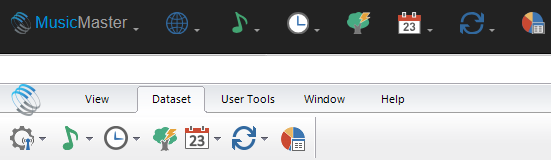
You’ll also see the currently opened station and your username on the top right menu bar. You can click the station name to open the Station Selection screen, and click your username to logout.
Context Menus
By default, browser context menus (right-click menu) relate to the webpage, not an application. However, where possible, we have provided custom context menus in the Web Client. Where a context menu is not available, we’ve added those functions to a toolbar on the Web.
Opening Multiple Tabs
While you can still open multiple areas of the software simultaneously, there are some limits within the Web. You cannot tile or cascade the tabs, or open more than one instance of the same tab, including Format Clocks and Assignment Grids. You will still see all open tabs at the bottom of the screen.
Resizing Windows and Scrolling
Desktop Client users may be used to resizing things like pop-up screens or the InfoBar, but the Web Client has fixed sizes. You can enlarge your browser window, which will automatically adjust the display of the Web Client. Depending on your browser size, you may need to use scroll bars within the pop-up screens or the program itself to view all contents.
Toolbar Icons
Toolbar icon order is not necessarily the same between the Desktop and Web Client versions. The actual icons may also look different, though we’ve attempted to make them look as similar as possible. You can hover over an icon to read its tooltip label.
Adding New Rows
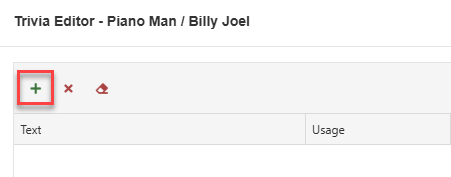
There are places in the Desktop Client where you’ll see a line that says, “Click here to add a new row”. This occurs in Attributes, Clocks, Keywords and Trivia to name a few. In the Web Client, you’ll have a plus sign icon to do this.
MusicMaster Pro 8.0.13 publicado em March 29th, 2024
MusicMaster Pro 8.0.13 is now available to you under Help, Check for Update. Changes are as follows:
- When launching the Schedule Editor automatically at the end of Auto Scheduling, the cursor in the Schedule Editor will now be located at the first hour you set for the Auto Scheduler in the case where your session did not begin with the first hour of the day.
- When copy and pasting elements in the Schedule Editor, the values in the transition and user fields in the element properties will now be included.
- Made several minor editing improvements to the Packet Editor.
- When naming export files using date/time macros, new options are available that let you include the current date/time when you are performing the export and UTC conversions. You can also include a unique random string or characters to prevent existing files from being overwritten.
- Updated the CRTC Self-Assessment Special History Report to add support for Indigenous artist calculations. The design of the report has also been modified to make it shorter and include less columns with only unused values.
- Added a new Canadian CRTC Yearly Quota Special History Report that reports on Emerging and Indigenous Artist plays for an entire year.
- Added a new Special History Report for creators of NPR Syndicated Shows.
- Added UI text translations for the wizard-based setup dialogs.
You can find the full list of changes under Help, Release notes. Contact your MusicMaster Scheduling Consultant with any questions.
Triple Feature: Traveling for the love of music, Trip 1 publicado em March 28th, 2024
Traveling for the love of music, Trip 1
by Brian Wheeler
3 trips. 3 adventures. All three largely music-driven excursions to break up the monotony of winter and to feed our wandering souls. I strongly encourage any music lovers to try to incorporate travel and music. It’s a wonderful and rewarding experience. For my next three blogs, I’m going to share with you my recent sojourns.
Our first of three trips begins in Austin, Texas. Austin has built quite a name for itself in recent years. Known as a music Mecca of the south and rivaled perhaps only by Nashville, Austin has grown in leaps and bounds in recent years. I recently visited Austin to immerse myself in the music, culture, and local fare, as well as to learn more about the community’s ‘keep Austin weird’ mantra. My wife Stacy is always game for a travel adventure and we both love live music, so we set off for the Live Music Capital of the World to see what makes this town tick.

We arrived in Austin just a couple weeks before South by Southwest, but there was still plenty to do. We secured tickets to see The Dead South, a folk-bluegrass combo that hails from Regina, Saskatchewan. Make no mistake, this is NOT your father’s folk-bluegrass band. With a penchant for dark lyrics and earnest delivery, their shows have a punk/goth ethos akin to Bauhaus, but with mandolin, banjo, acoustic guitar, and stage apparel that would put them on the streets of 1800’s Deadwood if you didn’t know better.
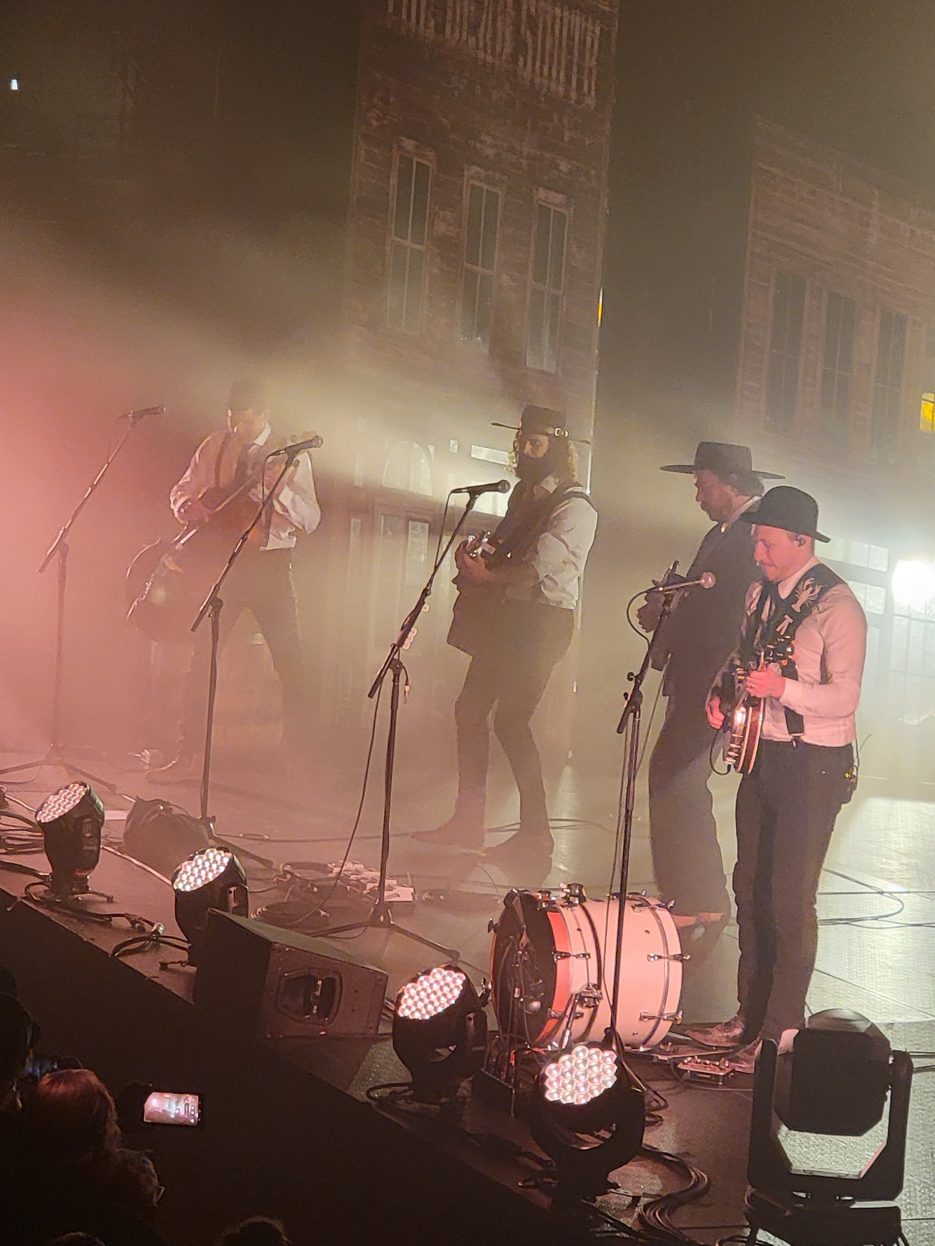
What made this spectacle even more special was the venue. Austin City Limits Live. I’ve watched Austin City Limits as far back as I can remember. This venue is now home to the longest-running music series in television history. That’s cool enough right there. But the artists that have graced these halls along with the performances that have been witnessed make this hallowed ground for a music fan. The oversized photos of musical greats in action was such a sight to behold. The venue itself isn’t very old and was quite reminiscent of the Cosmopolitan in Las Vegas, with its shallow balconies and spacious floor. I found the crew at the venue to be friendly and quite knowledgeable about music and the history of ACL as well. It was a lovely visit, and I’d encourage anyone who loves music to make the pilgrimage.
So, what makes Austin “weird”? Stacy and I took an ‘off-the-beaten-path’ tour to find out more about the “Keep Austin Weird” mantra. We enjoyed the Karaoke Cab on the way to ACL, singing songs at the top of our lungs with the windows down. Then there’s the Museum of the Weird, the mystical Zilker Botanical garden, you can even play a rousing round of Chicken S*** Bingo, where you lay your bet on which number a hen will leave her ‘mark’ on a bingo board. If she ‘graces’ your number, you win a prize! Weird, indeed!
We also visited the Elisabet Ney Museum on our tour. Elisabet was an accomplished sculptor and created many impressive pieces up until her death in 1907. She was commissioned to create many notable busts, including Stephen F. Austin and Samuel Houston, as well as foreign dignitaries such as Otto von Bismarck and King Ludwig II of Bavaria. She led a fascinating life and was a champion of the local flora and fauna, mandating that the grounds around her studio grew wild as sort of a mini-habitat.

Many musicians that carved their own niche have made Austin their sanctuary. Willie Nelson moved to Austin in the 70s and has called the Austin area home ever since. Roky Erickson, member of the 13th Floor Elevators and pioneer of Psych Rock, called Austin his home for a good number of years as well. Musician Gary Clark Junior also resides nearby and own’s part of Antone’s, a storied music club in Austin. These are just a few of the many artists that call this weird, wonderful town home.
Speaking of Antone’s, it was a treat to visit its neighboring record store, Big Henry’s. While listening to the Fabulous Thunderbirds perform a soundcheck, we browsed the rare vintage vinyl and show posters next door.
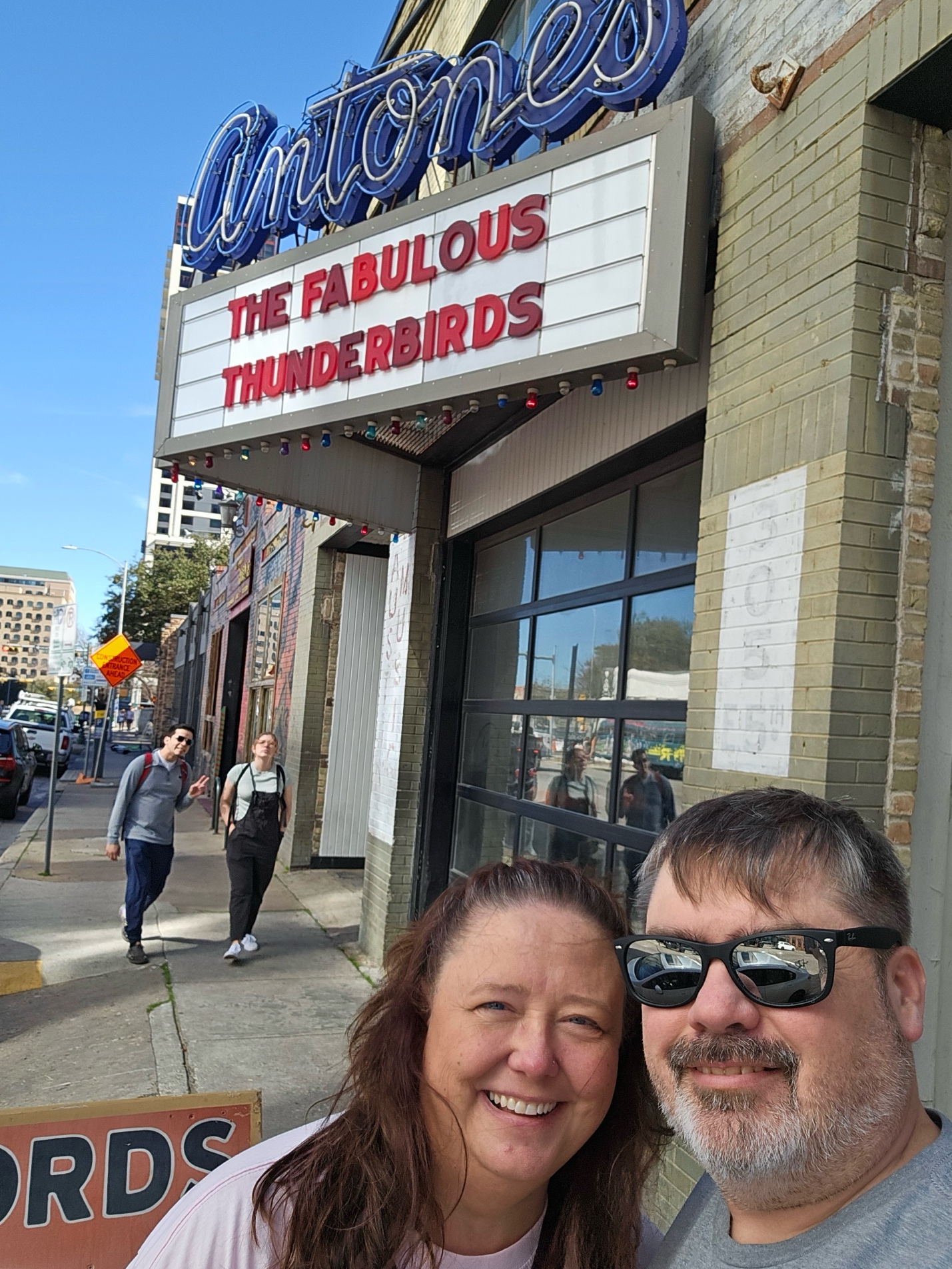
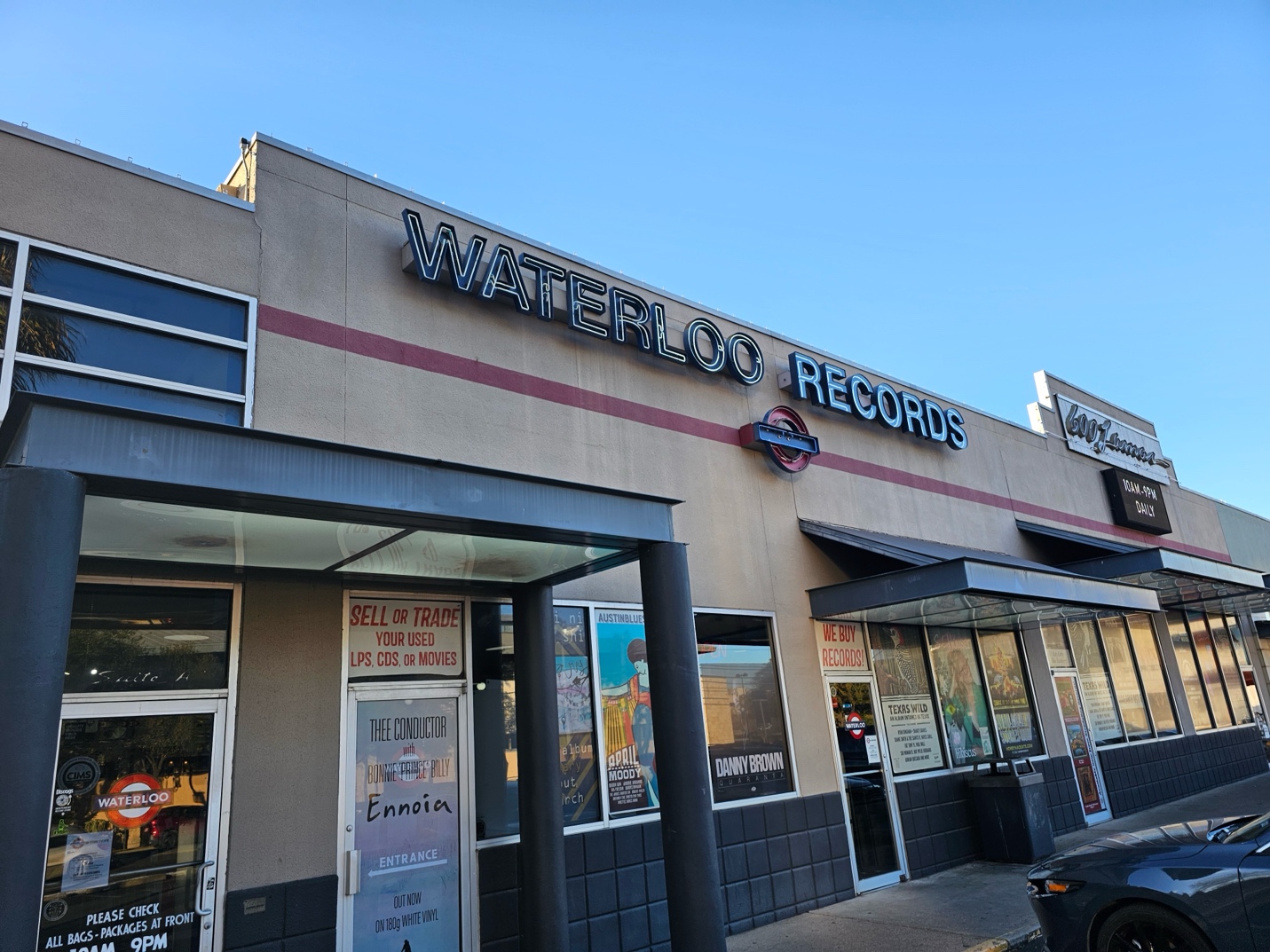
Having had a taste of the bountiful vinyl-hunting, we continued to slake our thirst for music at some of the area’s offerings: Waterloo records, Antone’s Records, and End of an Ear. We managed to find some tasty tunes at each location.
“Weird” counterculture may be a hallmark of Austin, but it isn’t the extent of what defines this cool music town. Art, music, the people, and I can’t believe I didn’t mention the FOOD are just a few of the many reasons you should make a visit to this must-experience destination in the heart of Texas.
Always Something There To Remind Me publicado em March 15th, 2024
By Dave Tyler
I don’t know about you, but I walk in a room and forget why I came in here probably 5 times a day and that’s on a good day! I remember a day when as a morning guy I did 530a-10a, cut some spots, maybe did an appearance, and my day was over. These days, we all wear so many hats that we need reminders. I use the alarm feature on my phone for all kinds of things from paying bills to taking chicken out of the freezer to thaw for dinner. But did you know that MusicMaster has its own handy reminder system built-in?
You can also use it to send updates to people who work in the same database. At many stations/companies, there are many users in the same MusicMaster database, with different folks responsible for doing different things in the log daily. As a morning guy for more than 30 years, I would not see my buddy who did afternoons or evenings for week at a clip sometimes. Sure, I could leave a note on their desk, but if that person also had work to do in MusicMaster that day, wouldn’t it be nice (yea I heard the Beach Boys too when I said that) if it was possible to leave a note in MusicMaster for them?
I gotcha’ covered and it is super easy too.
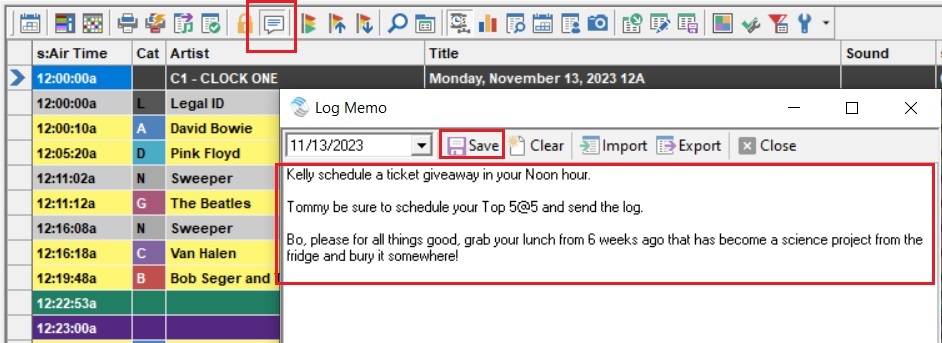
When you are in the Schedule Editor just click on the Create/Edit a Memo icon. When it pops up enter notes you want and then click save.
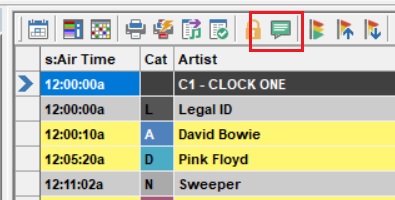
Now when someone open the log that Memo icon is green which means there is a memo.
Now I know what you are thinking……yes that’s cool and all but I don’t think Kelly, Tommy and certainly not Bo are going to notice that little green icon…can I make it more obvious? I’ve been waiting on you to ask that and the answer is YES!
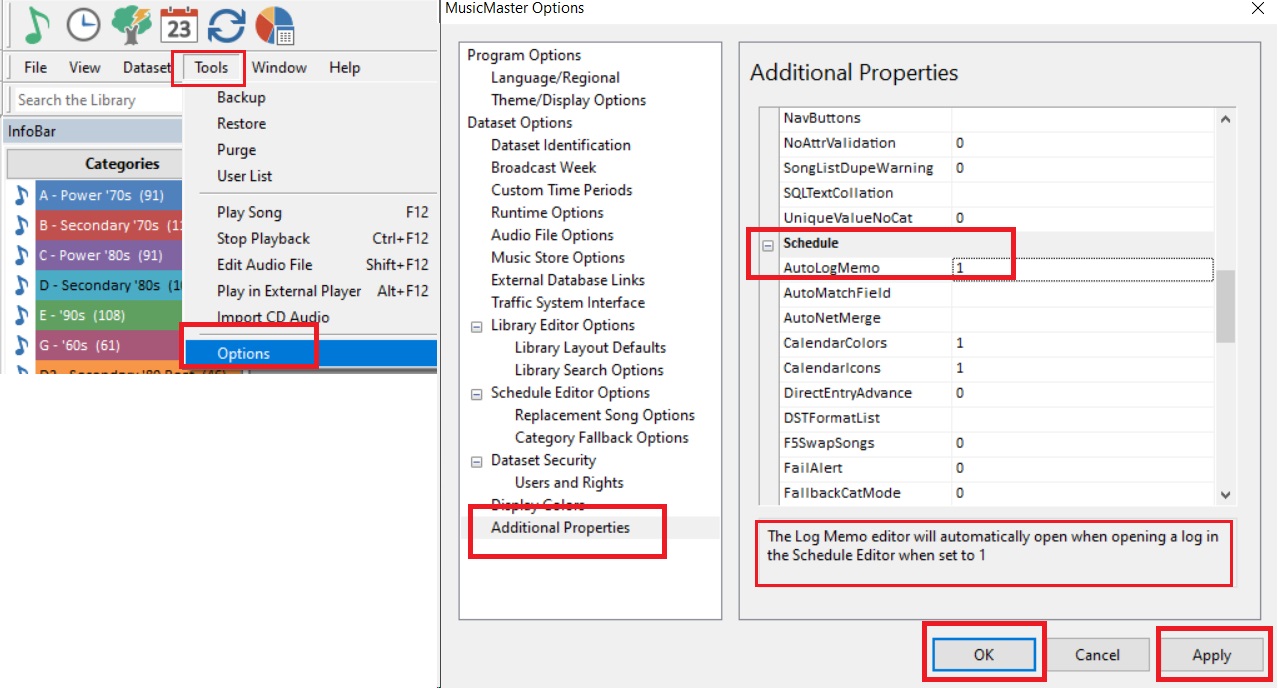
Go to Tools/Options/Additional Properties and on the right-hand side scroll down to the “Schedule” section and change AutoLogMemo from a “0” to a “1” and voila! When someone opens the log, the memo will pop up!
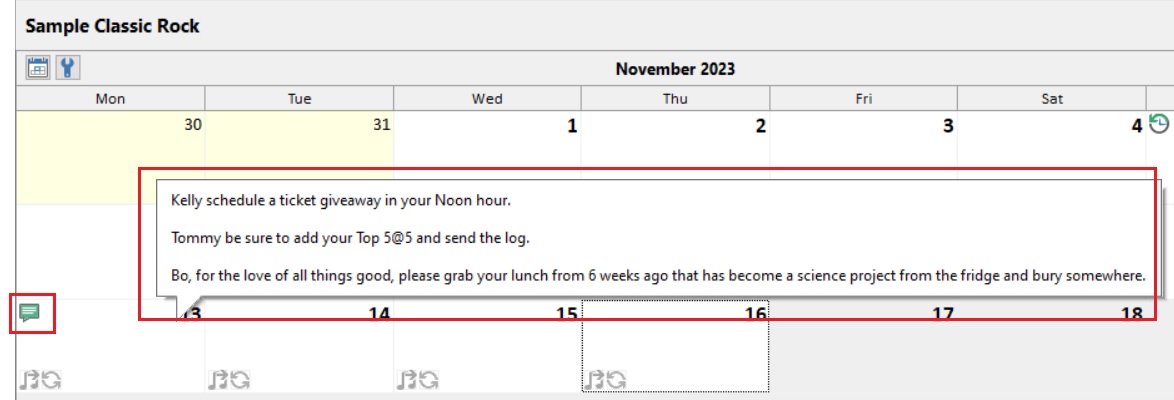
But wait there’s more. When users open the Schedule Calendar, not only will they see our spiffy green Memo icon on the day, but if they hover their cursor over the top of the date, it will show them the memo!
Furthermore, memos aren’t just for Logs! Sometimes, you might want to leave a more general message or reminder, or even store some information that everyone can reference, such as the phone number for your MusicMaster Scheduling Consultant!
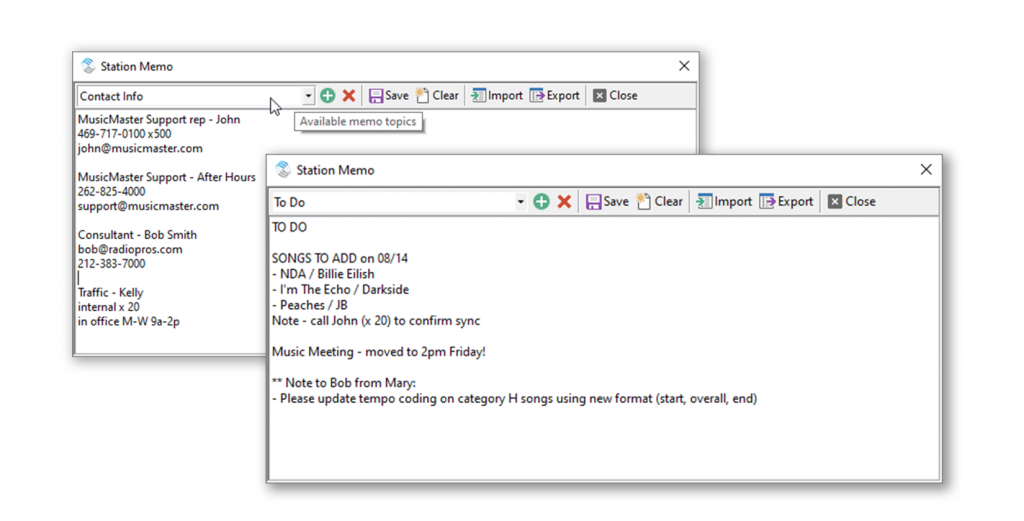
That’s when a Station Memo comes in handy. You can find them in the Dataset menu, right at the bottom. Here, you can add and save different memos. Anytime you or anyone is in the database, they can pull up these station memos for reference. Below is an example of two memos I have saved, one with important contact info, and one with a To Do list that everyone can see!
Yep, we’ve thought of everything. From this point forward it will be up to you to remember to write the memo… maybe set an alarm for that!
Keyboard Shortcuts on the Web publicado em March 15th, 2024
MusicMaster CS for the Web runs within your browser, which has keyboard shortcuts of its own. So, some hotkeys are unavailable to MusicMaster CS for the Web.
Fortunately, many functions using hotkeys in MusicMaster can also be accessed other ways. We’ve also added new ways to access some functions on the web.
History Graph
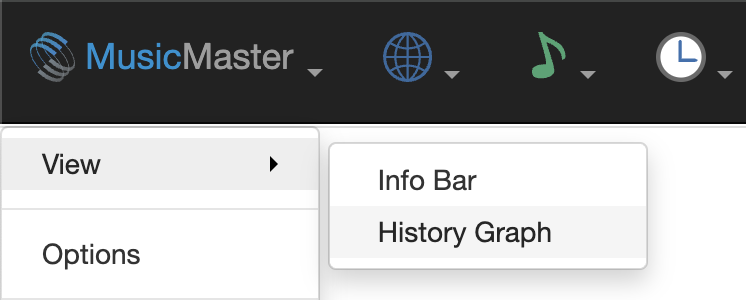
In the Desktop, you could toggle the History Graph using the F6 key. On the Web, you can find it in the View menu, located under the MusicMaster logo.
We’ve also added new toolbar buttons in the Library and Schedule Editor to toggle it on and off.

Swap Songs in Schedule Editor
In the Desktop Client, you may have used F5 to swap songs. On the Web, you can still double-click a song in the pointer column (the small left-most column) and then double-click the pointer column for the song you wish to swap with. There are also swap options available in the new Selected Element toolbar menu in the Schedule Editor.

Open Replacement Songs Panel
In the Desktop Client, you may have used F9 to look for replacement songs in the log. On the Web Client, you can still double click the song (in any column besides the pointer column) to open replacement songs.
Welcome to the MusicMaster CS for the Web publicado em March 14th, 2024
Now you can connect to MusicMaster Client-Server directly from your browser – no Windows computer or software installation required.
The Web Client complements the Desktop Client, with most key functions for everyday tasks already available on the Web, and more to come. You can use both clients together, and changes you make in one will be reflected in the other.
Despite differences between how Web and Windows applications work, we’ve made an effort to keep the Web version familiar to you. You’ll find similar menus, and where available, operations like context menus and drag-and-drop. Just like in Windows, multiple parts of the software can be opened within the same screen.
Click ahead to familiarize yourself with some of the key differences between the Web Client and the Desktop Client.

Which Rules are a Top Priority? publicado em February 27th, 2024
By Chris Hulsether
What rules are the most important? Which ones do you want to pass first? Why does it matter? That’s what we are talking about here.
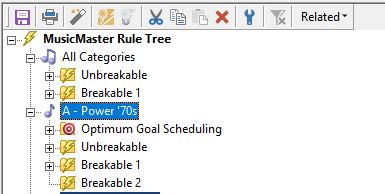
First, let’s break down the Rule Tree. You will have folders for Breakable and Unbreakable Rules.
The first folder you see in the tree is for All Categories, and it includes Breakable and Unbreakable folders. These rules apply to all categories. So, if you have a gold-based format and you want to apply Artist Keyword Time Separation to every song, drag the rule over from available rule types and place it in one of the folders. This will apply to All Categories, and you won’t have to put the same rule in each category.
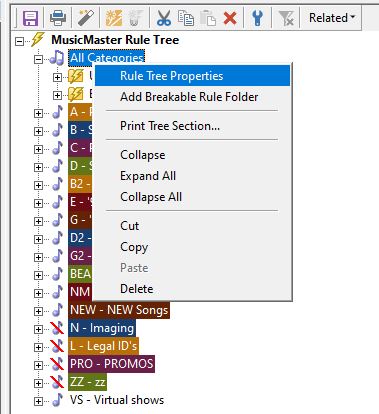
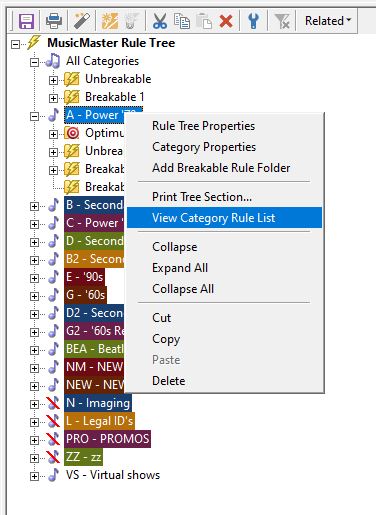
But what if you want the rule to apply to MOST categories instead of ALL categories? Right click on All Categories and select Rule Tree Properties. That’s where you can select which categories should be bypassed. Meaning they will not be subject to rules in All categories.
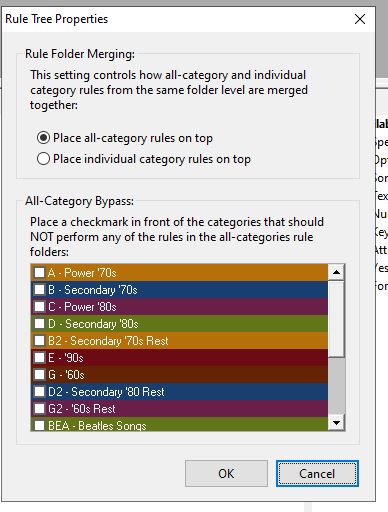
You can then set rules for those categories inside each individual category’s folder where they can play by different rules. Typically, Imaging categories or small high rotating current music categories would have different rules than the rest of your categories.
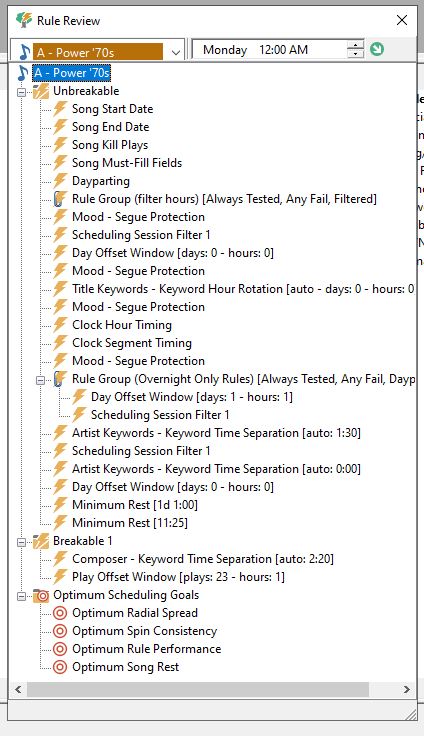
You can also set which rules should have highest priority. By default, the All-Categories rules get tested first and then the individual categories get tested. But in the Rule Tree properties, you can switch it so that Individual categories are on top, and the Individual category rules will be tested first. Once an Unbreakable rule fails in All Categories, the Automatic scheduler will not bother to test against the others. So, whatever rules you list first are most important. You should have your rules listed in order of importance. For example, if you list a Sound code rule first and a song fails that rule, it will keep it from scheduling, but if Artist Keyword Time Separation is more important you may want the song to clear that rule before testing other rules that may not be as important.
Of course, MusicMaster will stop testing once it fails an Unbreakable Rule, and that song will be skipped. But it will also stop when it fails the first Breakable Rule. That song may still be in the running, but MusicMaster will move onto checking the next song to see if it performs better. There’s no point in worrying about lower priority rules if a higher priority one fails.
To see the order in which your Rules are tested, you can bring up the Rule List. Right-click on the category in your Rule tree and select View Category Rule list. This will show you the order in which the rules will be tested.
Note that you can also create more Breakable folders if you need. For example, right-click on Breakable 1 and choose Add Breakable Rule Folder, and a Breakable 2 will be created.
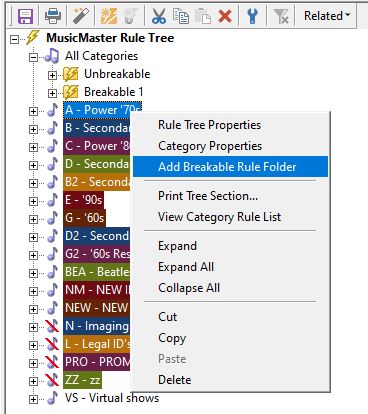
You may ask: Why would you want to have multiple Breakable rule folders? It has to do with the way the rules are all merged together when testing. Remember, rules are tested in order of importance. So the rules in each Breakable folder on your rule tree will merge with the rules in their corresponding numbered folder. This keeps all your higher priority rules above your lower priority rules, no matter which category folder they came from.
Prioritizing your rules can make it easier for the Automatic Scheduler to find the best songs possible for you and can reduce the number of unscheduled songs you may get. If you have any questions, talk to your Music Scheduling Consultant.